01 / 32 · UnifyERP Cover Hero
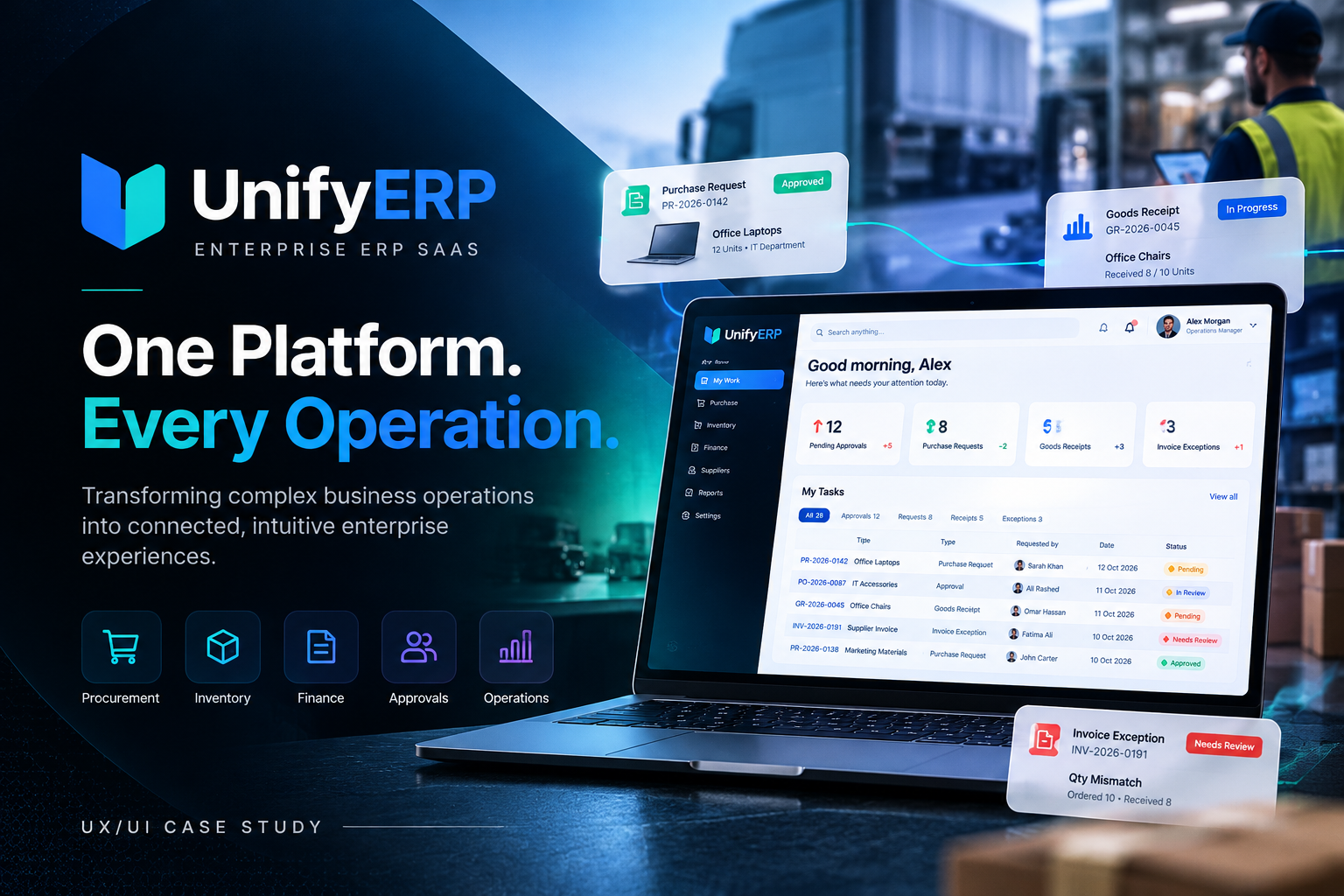
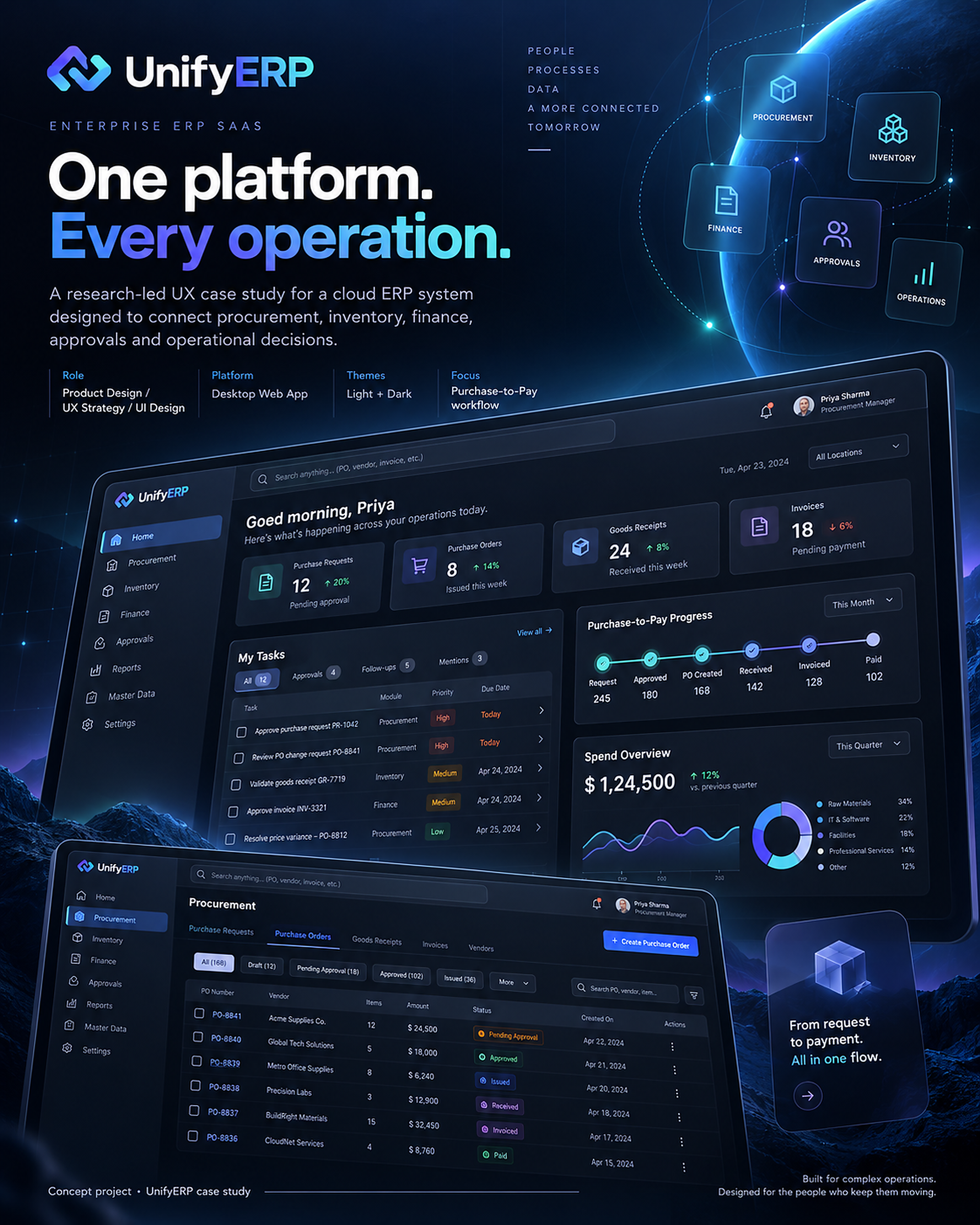
One platform. Every operation.
UnifyERP is a desktop-first cloud ERP concept that connects procurement, inventory, finance, approvals and daily operations. The case study explores how clearer ownership, connected records and contextual actions could help teams work across departmental boundaries. The following 32 approved Behance boards are presented unchanged and in their original order.
02 / 32 · Project Overview
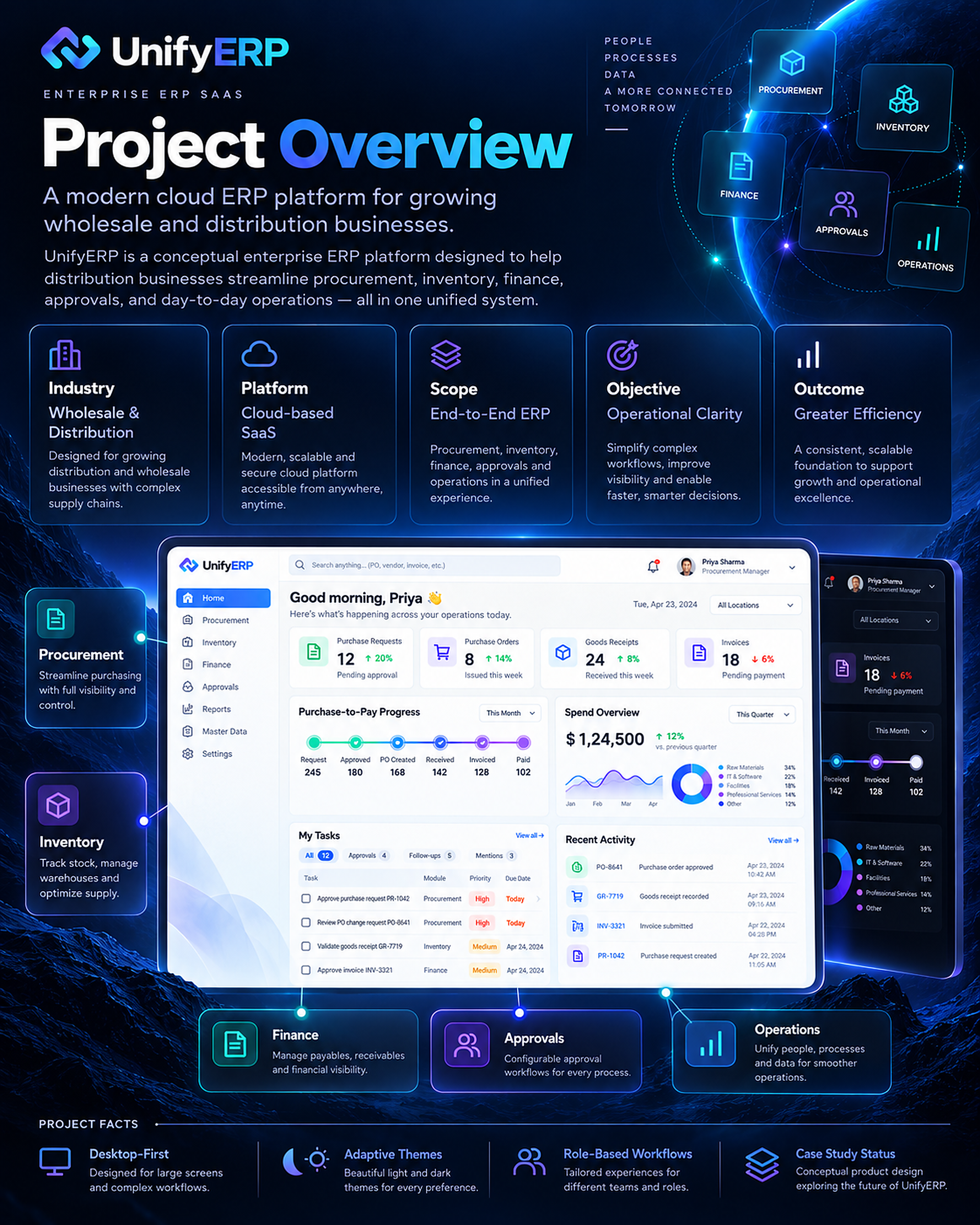
A connected operating experience.
The project focuses on a configurable ERP experience for growing wholesale and distribution businesses. My scope spans product and UX strategy, workflow architecture, interaction design, interface design and a reusable design system. It is a conceptual product direction, not a deployed ERP implementation or a claim of measured business outcomes.
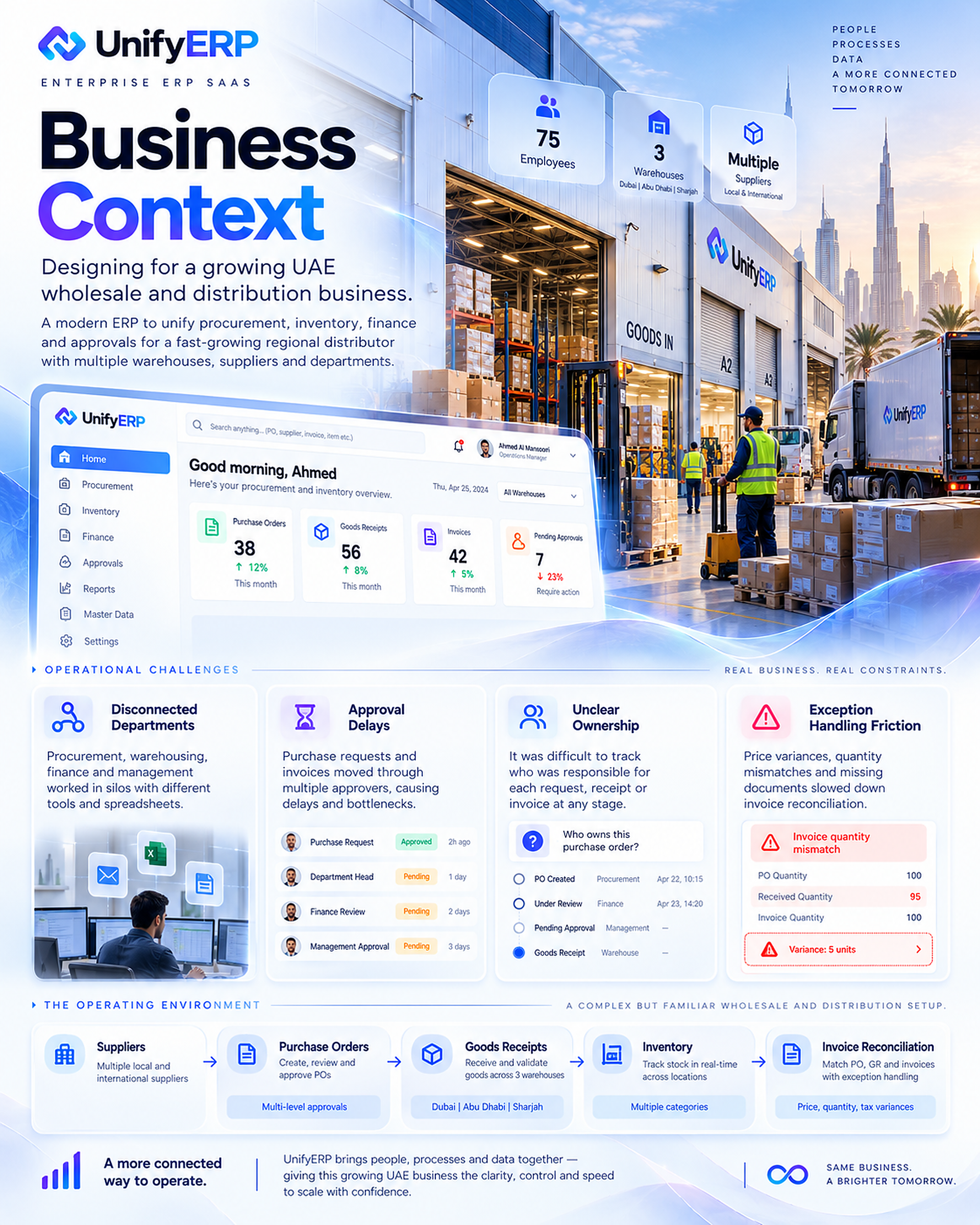
03 / 32 · Business Context
A wholesale business with cross-team dependencies.
The illustrative UAE business scenario combines suppliers, purchasing, warehouses, inventory and invoice reconciliation. A request passes between teams with different responsibilities and information needs. Company size, warehouse counts and dashboard values in the artwork provide scenario context rather than verified client data.
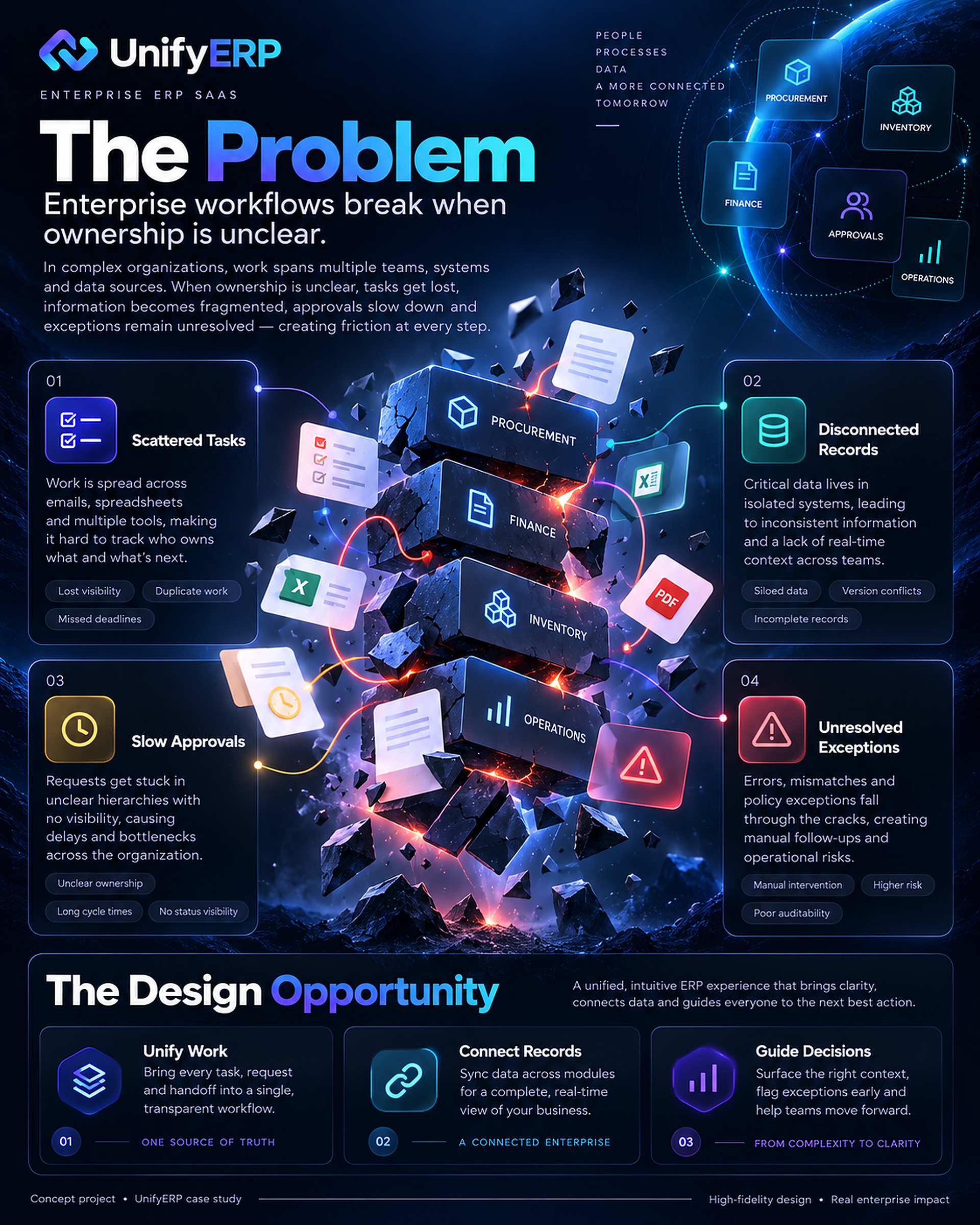
04 / 32 · The Problem
Work breaks down when ownership is unclear.
Scattered tasks, disconnected records, slow approvals and unresolved exceptions form the problem framing. The design opportunity is to keep the next action, responsible person and supporting records visible as work moves across functions. The aim is to reduce the effort of reconstructing context at each handoff.
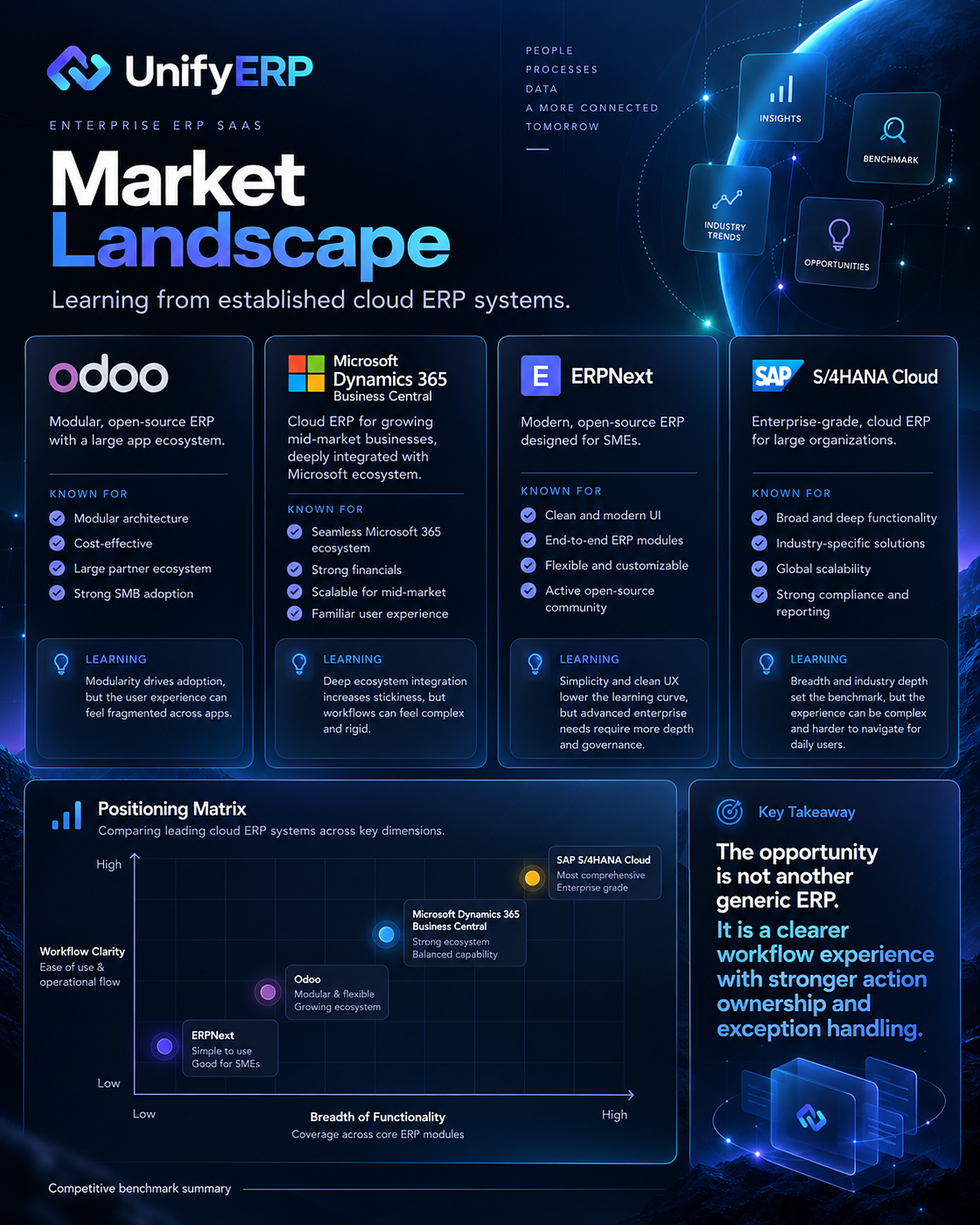
05 / 32 · Market Landscape
Learn from established ERP patterns.
The market exploration considers Odoo, Microsoft Dynamics 365 Business Central, ERPNext and SAP S/4HANA Cloud as reference points. The opportunity proposed here centres on a clearer workflow experience with strong action ownership and exception handling. The comparison is a concept-stage framing, not a verified feature audit or competitive performance benchmark.
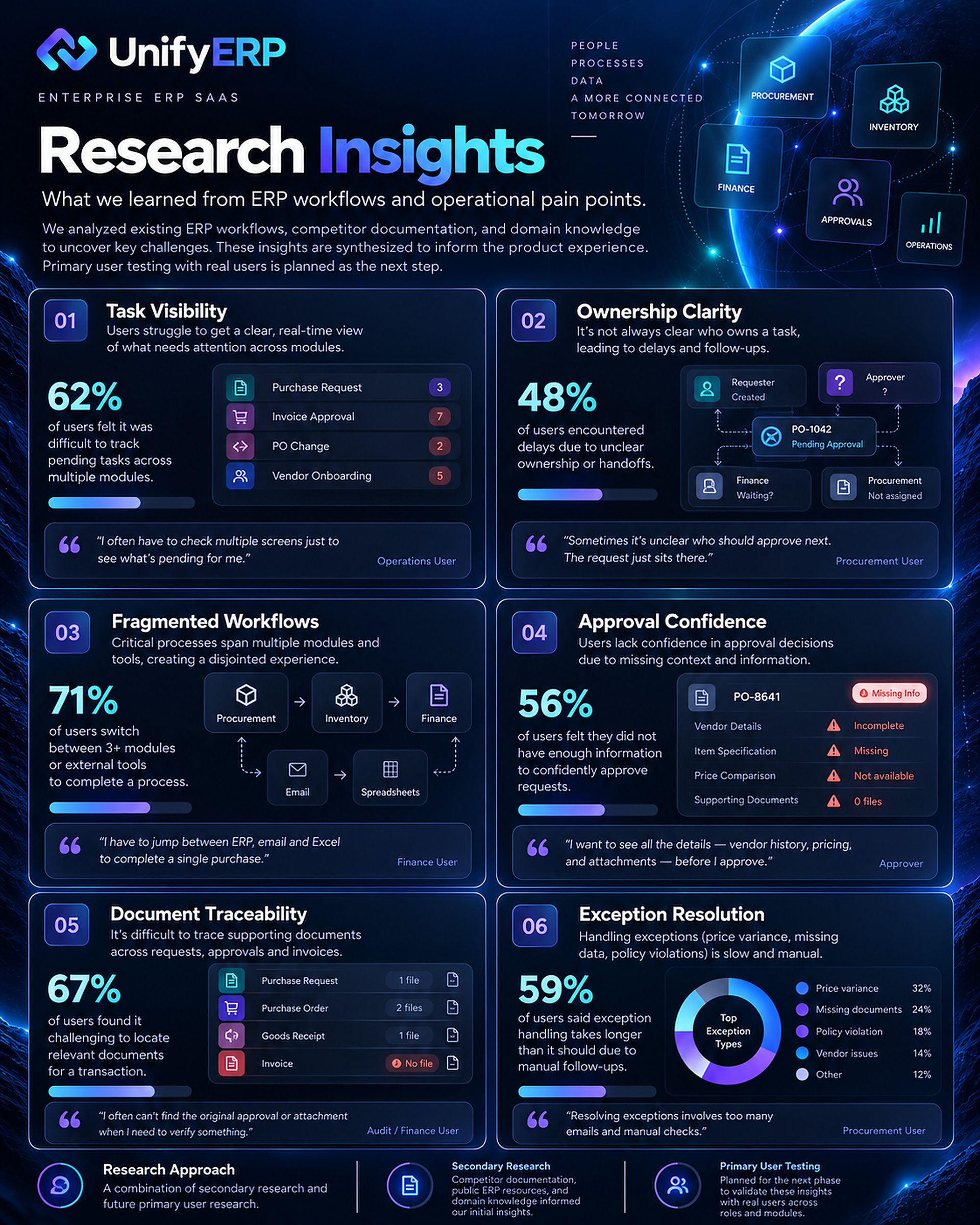
06 / 32 · Research Insights
Turn research themes into questions to validate.
The research board highlights task visibility, ownership clarity, fragmented workflows, approval confidence, document traceability and exception resolution. The supplied package identifies interview claims, percentages and quotations in the generated artwork as unverified. These are treated as hypotheses and illustrative content; this case study does not claim a completed participant study or proven performance gains.
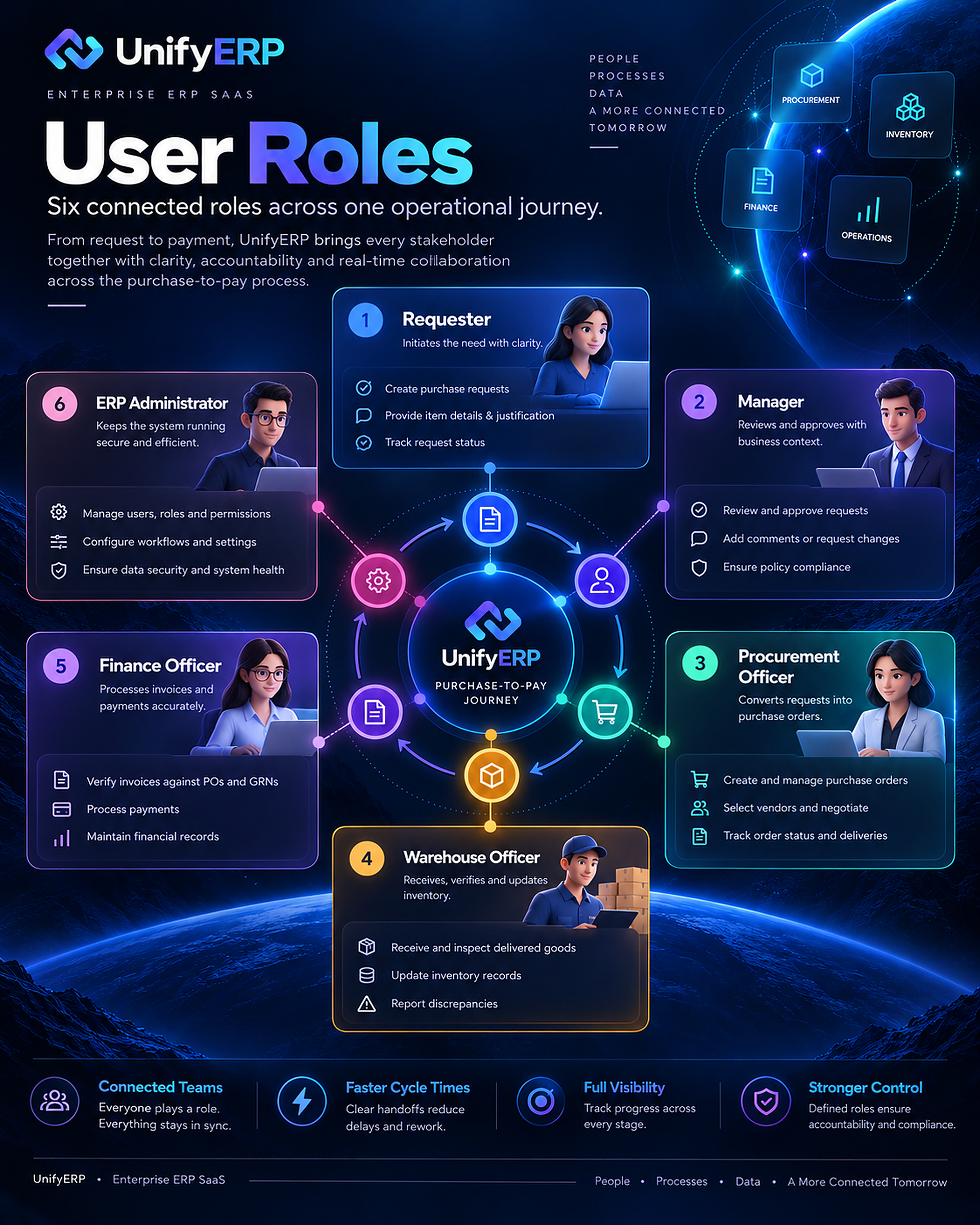
07 / 32 · User Roles
Six roles, one operational journey.
The proposed roles are requester, manager, procurement officer, warehouse officer, finance officer and ERP administrator. Each needs an appropriate view of the same process, with actions limited to their responsibilities. The experience connects those perspectives without assuming every person needs every module or permission.
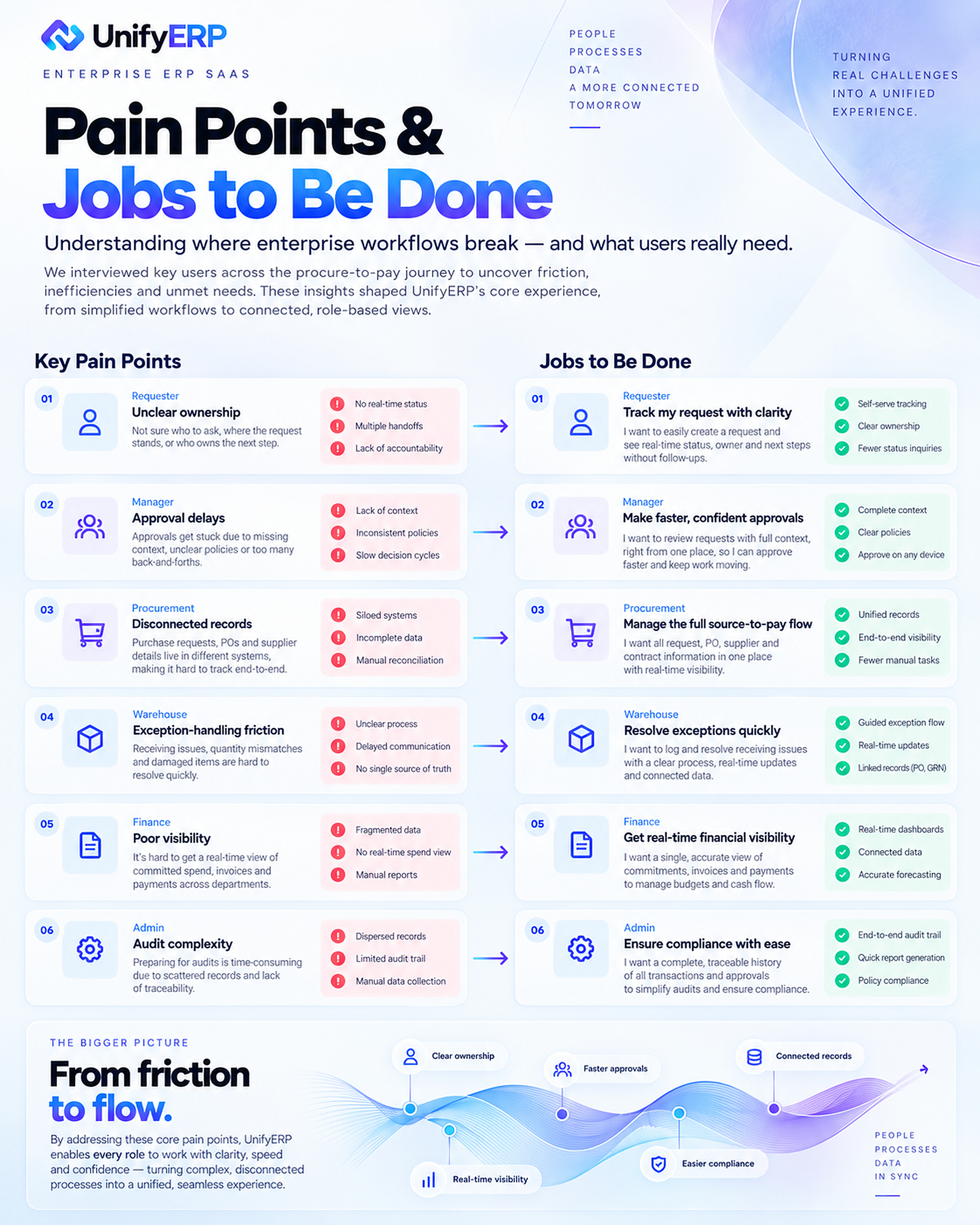
08 / 32 · Pain Points and Jobs to Be Done
Translate friction into practical jobs.
The core jobs are to track a request, make a confident approval decision, manage purchasing, receive goods, reconcile invoices and maintain controlled access. The proposed experience answers what needs attention, what information is missing and who can move the work forward. Interview language in the visual is illustrative rather than evidence of completed interviews.
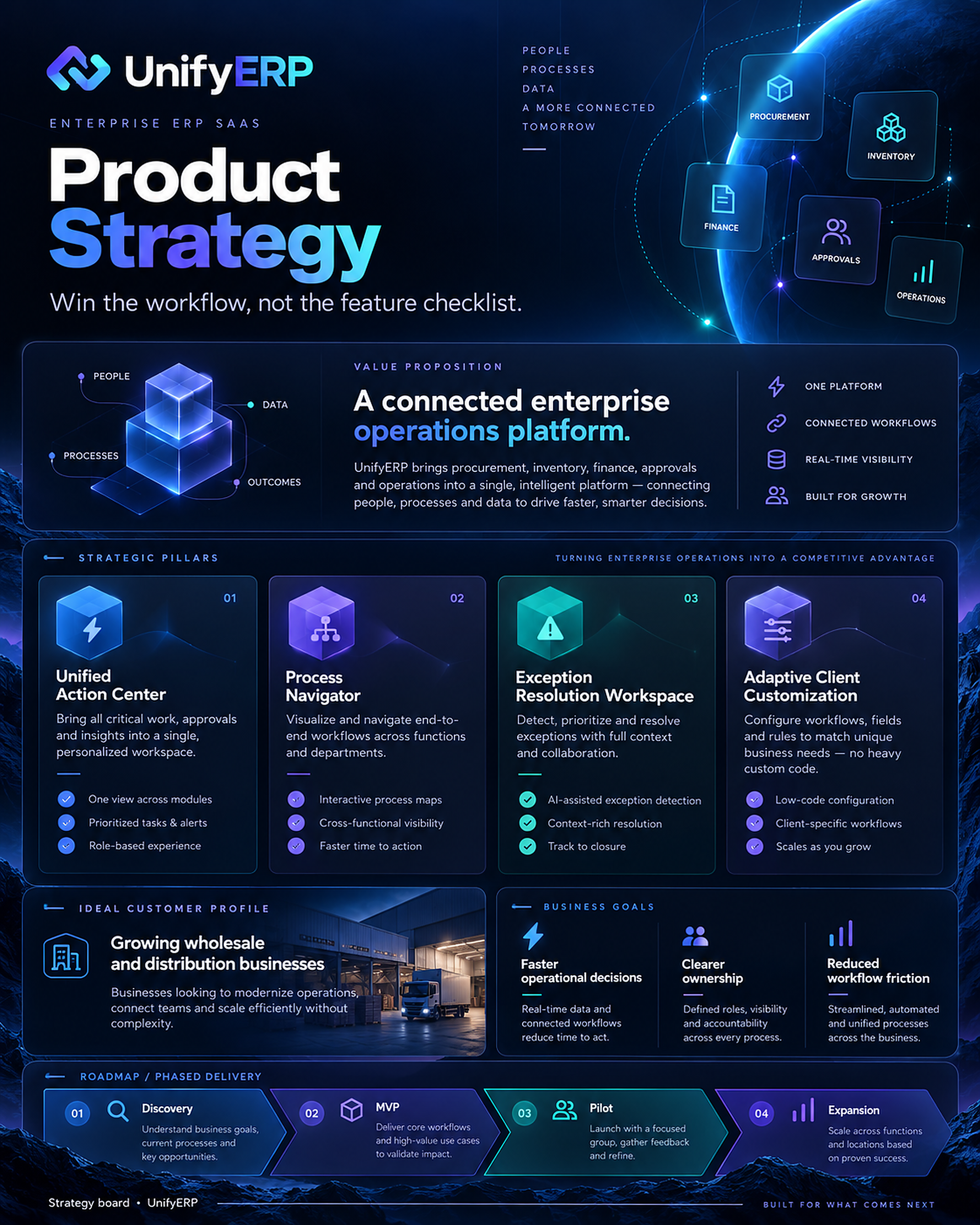
09 / 32 · Product Strategy
Win in the workflow.
Four strategic pillars guide the concept: a unified action centre, a process navigator, an exception-resolution workspace and adaptable client configuration. Instead of relying on a long feature list, the design concentrates on helping people complete connected operational tasks with useful context.
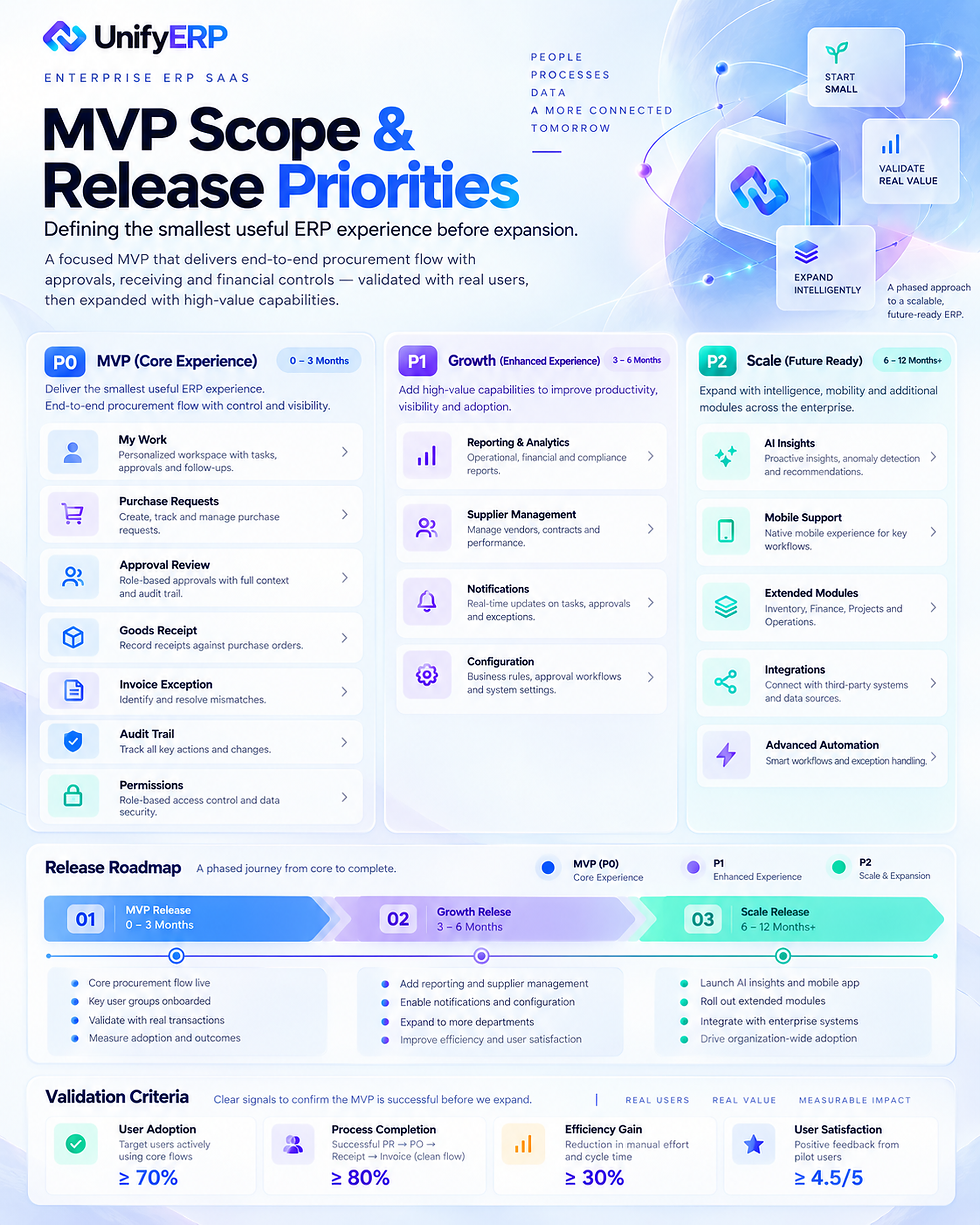
10 / 32 · MVP Scope and Release Priorities
Start with a focused purchase-to-pay MVP.
The initial scope centres on My Work, purchase requests, approval review, goods receipt, invoice exceptions and an audit trail. Later releases explore broader inventory, suppliers, notifications, configuration, reporting and integrations. Metrics shown are proposed validation targets rather than achieved results.
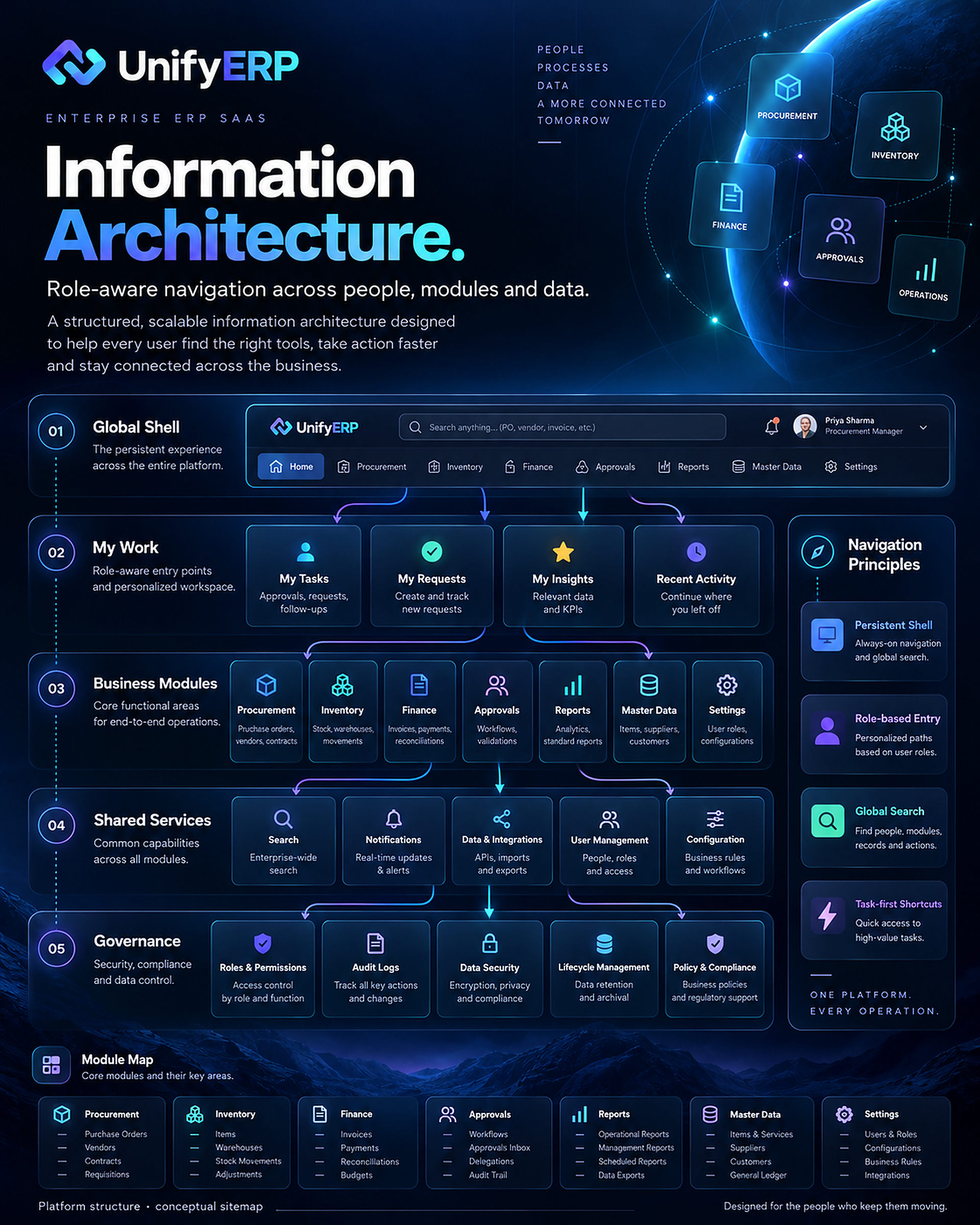
11 / 32 · Information Architecture
Organise people, modules and data.
The information architecture separates the global shell, personal work, business modules, shared services and governance. A role-aware structure gives users a clear starting point while retaining access to connected records. The intended result is a navigable system that can grow without losing the context of the current task.
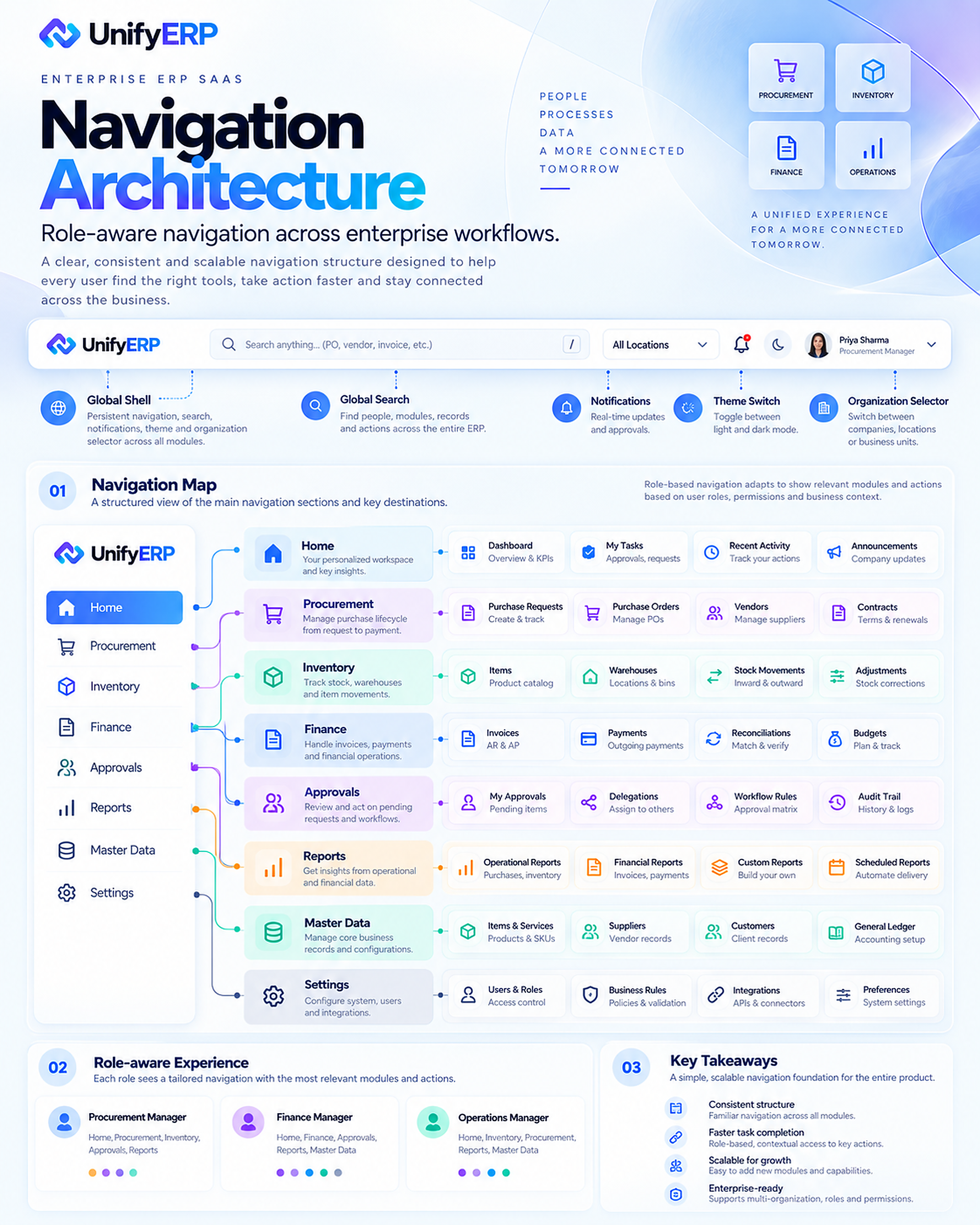
12 / 32 · Navigation Architecture
Provide a stable place to work from.
The navigation concept combines a persistent sidebar, global search, notifications and an organisation context. Personal work sits alongside procurement, inventory, finance, approvals, reports, master data and settings. The design proposes role-aware visibility while keeping module placement and terminology predictable.
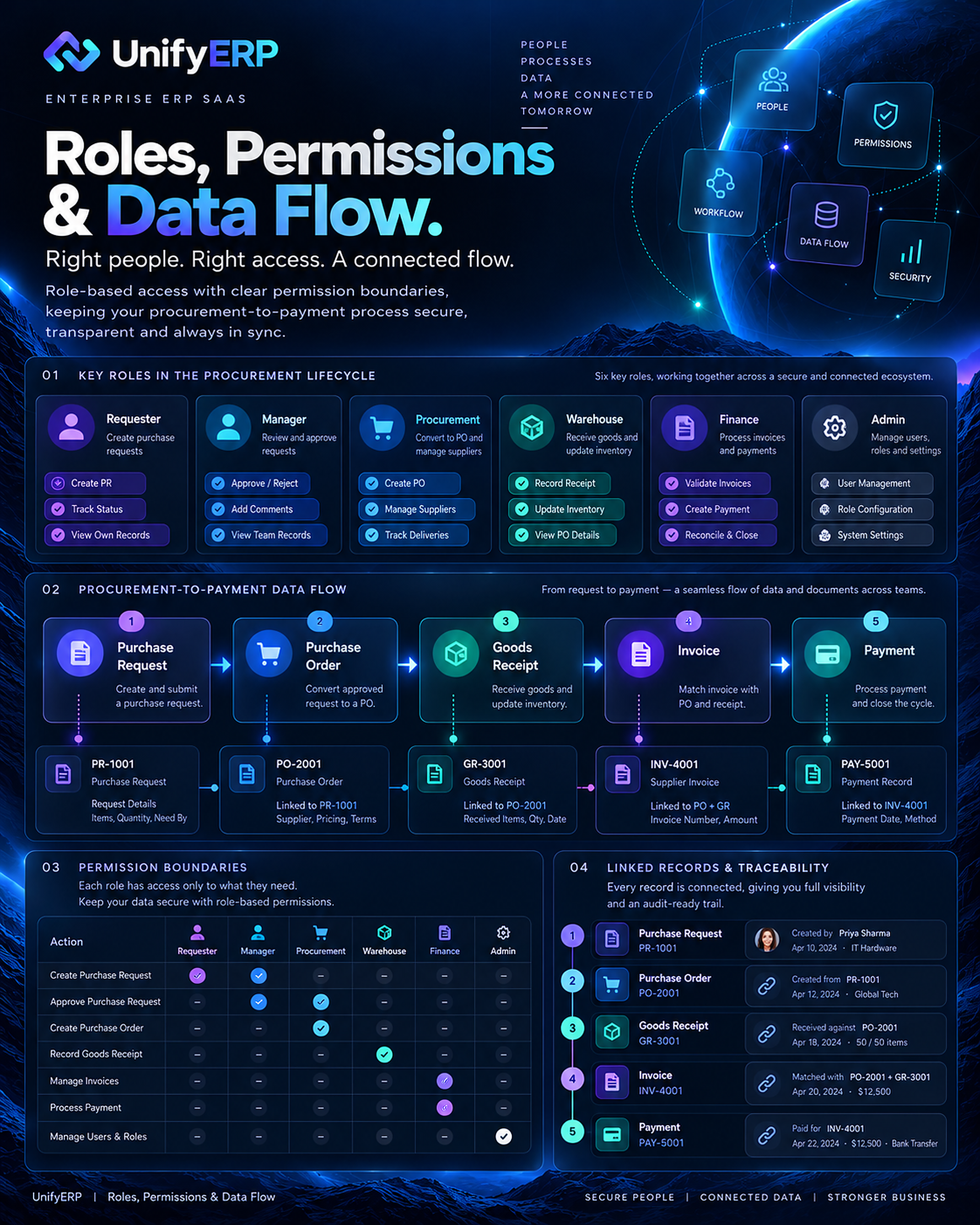
13 / 32 · Roles Permissions and Data Flow
Right person, appropriate access, connected evidence.
Roles and permissions are mapped across the procurement lifecycle. Purchase requests, purchase orders, receipts, invoices and payments form a traceable chain. The concept shows how authorised actions and supporting records could stay connected; it does not claim implemented access controls or verified security compliance.
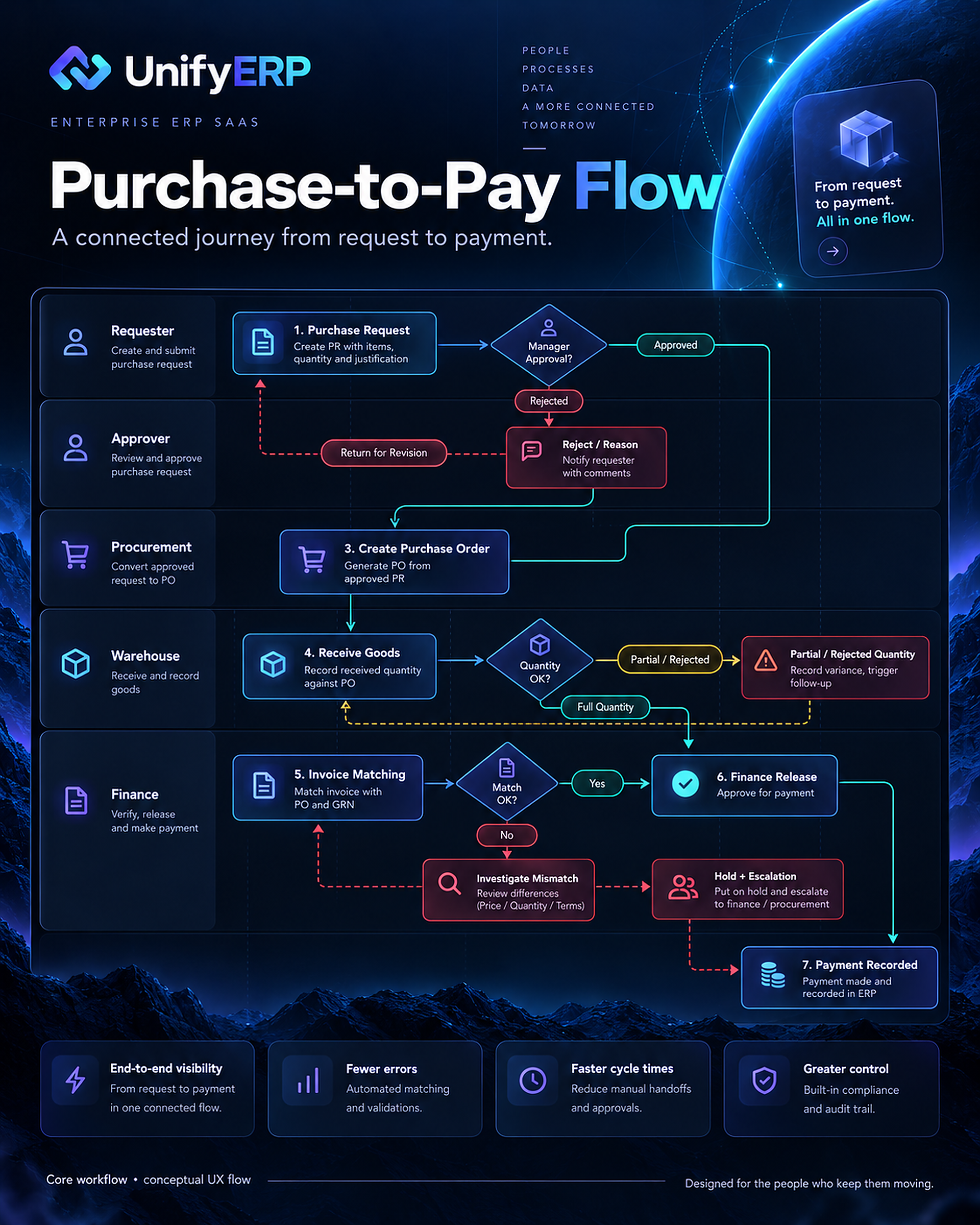
14 / 32 · Purchase to Pay User Flow
Follow the request through to payment.
The purchase-to-pay journey begins with a request and approval, continues through purchase-order creation and receipt of goods, and moves into invoice matching and finance release. Rejected requests, partial receipts and mismatches need explicit alternative paths so teams know what can proceed and what remains blocked.
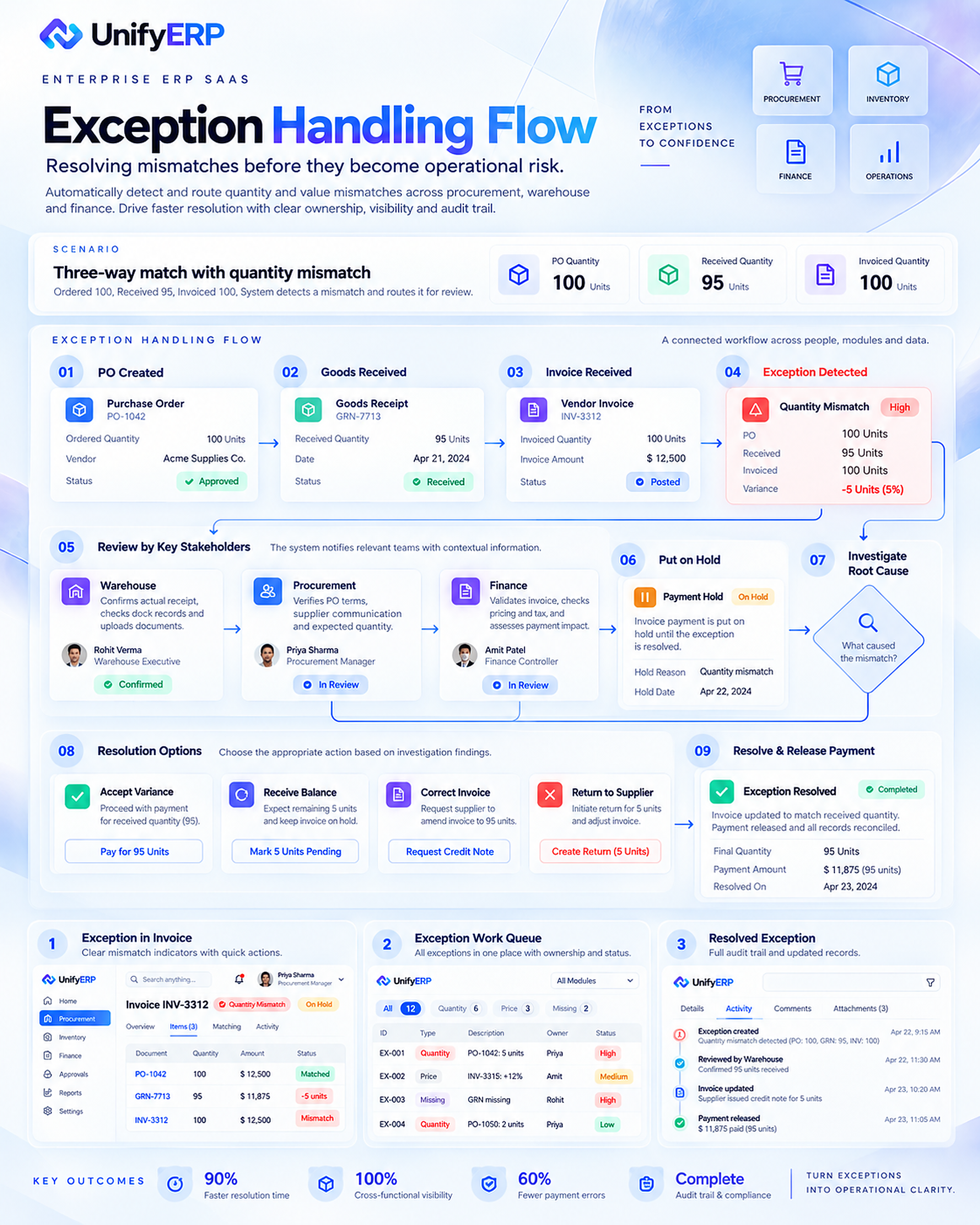
15 / 32 · Exception Handling Flow
Make exceptions actionable.
The exception flow explores a quantity mismatch across the purchase order, goods receipt and invoice. A case should bring the conflicting records together, identify responsible teams, show payment-hold status and provide resolution options. Any improvement percentages in this concept board are illustrative rather than measured outcomes.
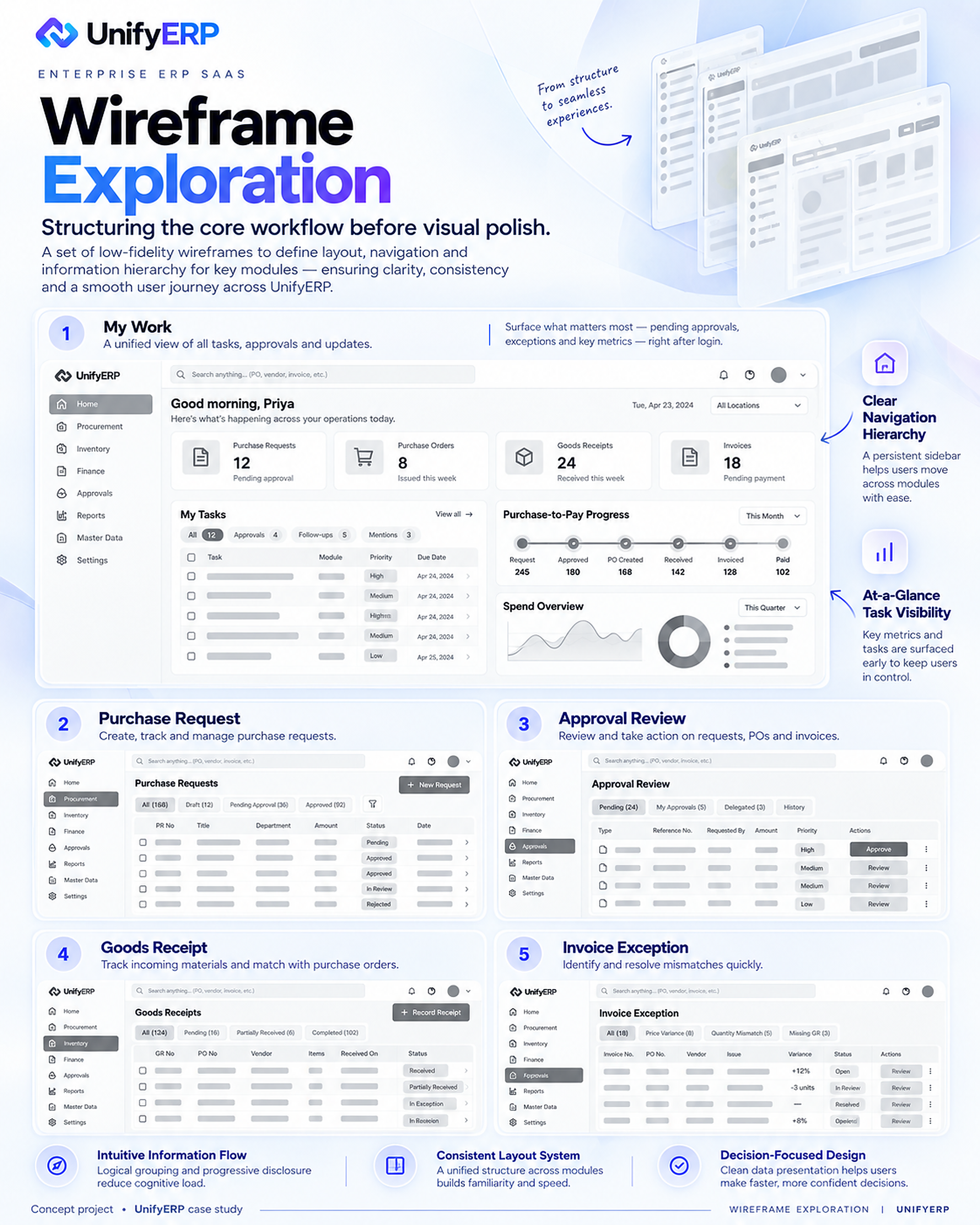
16 / 32 · Wireframe Exploration
Structure the work before visual polish.
Wireframe exploration establishes hierarchy for the work queue, purchase request, approval review, goods receipt and invoice exception. The emphasis is on navigation, task context, record visibility and clear actions before applying the final visual language.
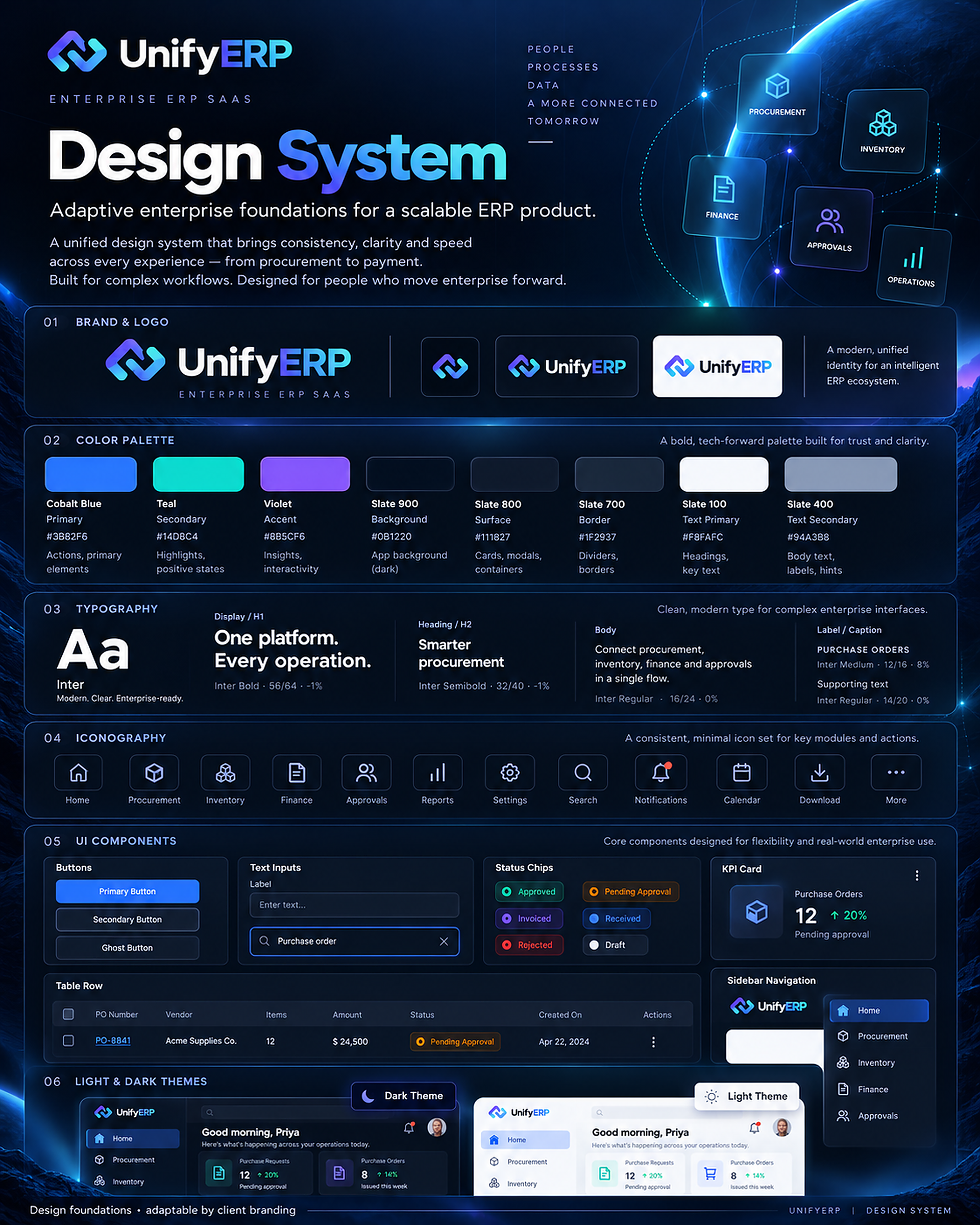
17 / 32 · Design System
Build a consistent enterprise foundation.
The design-system direction combines brand treatment, colour, typography, iconography, status signals and light and dark themes. Shared patterns support a dense operational interface without requiring each module to invent a separate visual language.
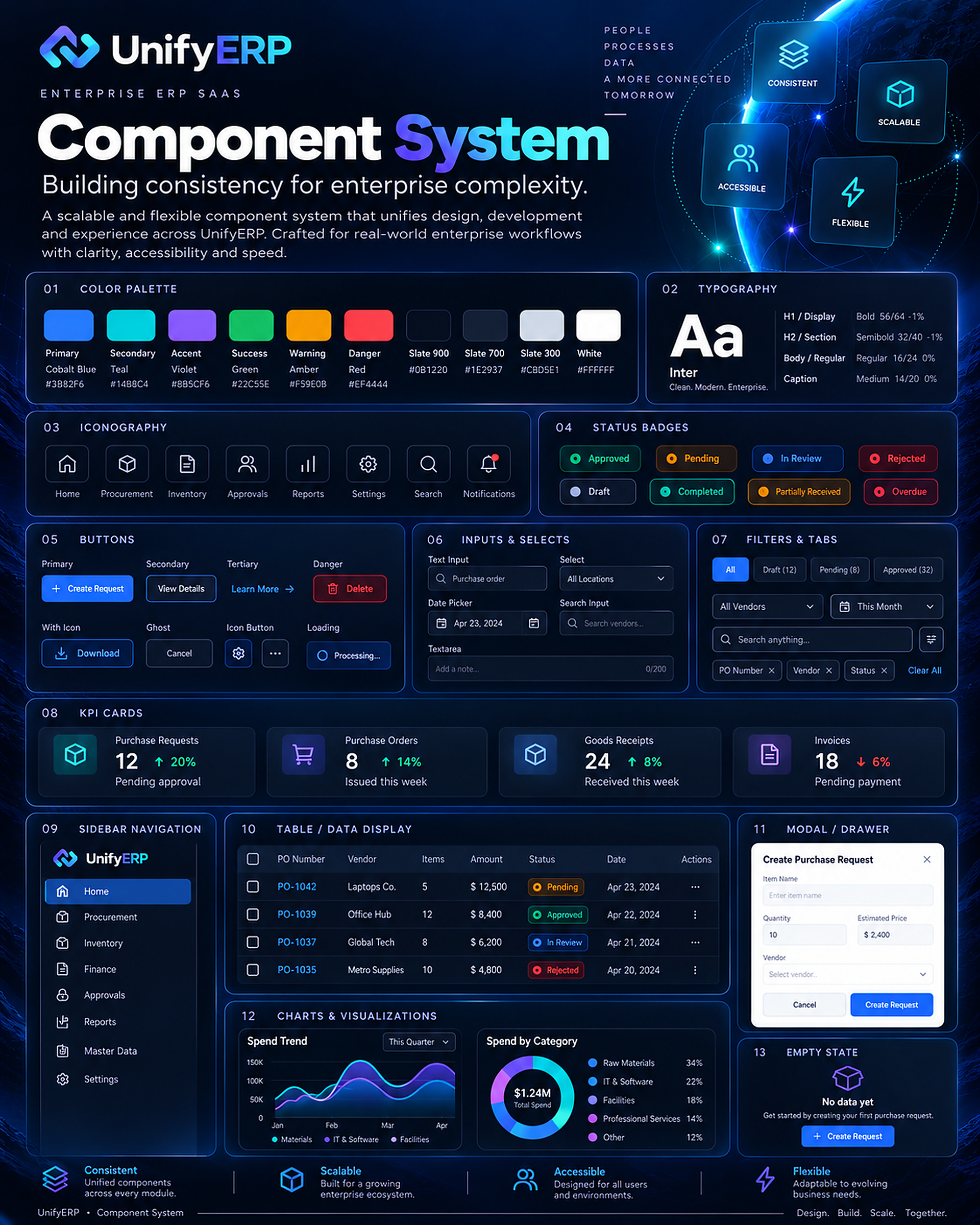
18 / 32 · Component System
Reusable components for complex tasks.
The component exploration covers buttons, inputs, status badges, navigation, KPI cards, tables, charts and modal or drawer patterns. Consistency helps people carry what they learn from one workflow into another. Accessibility and interaction behaviour still require evaluation against an implemented interface.
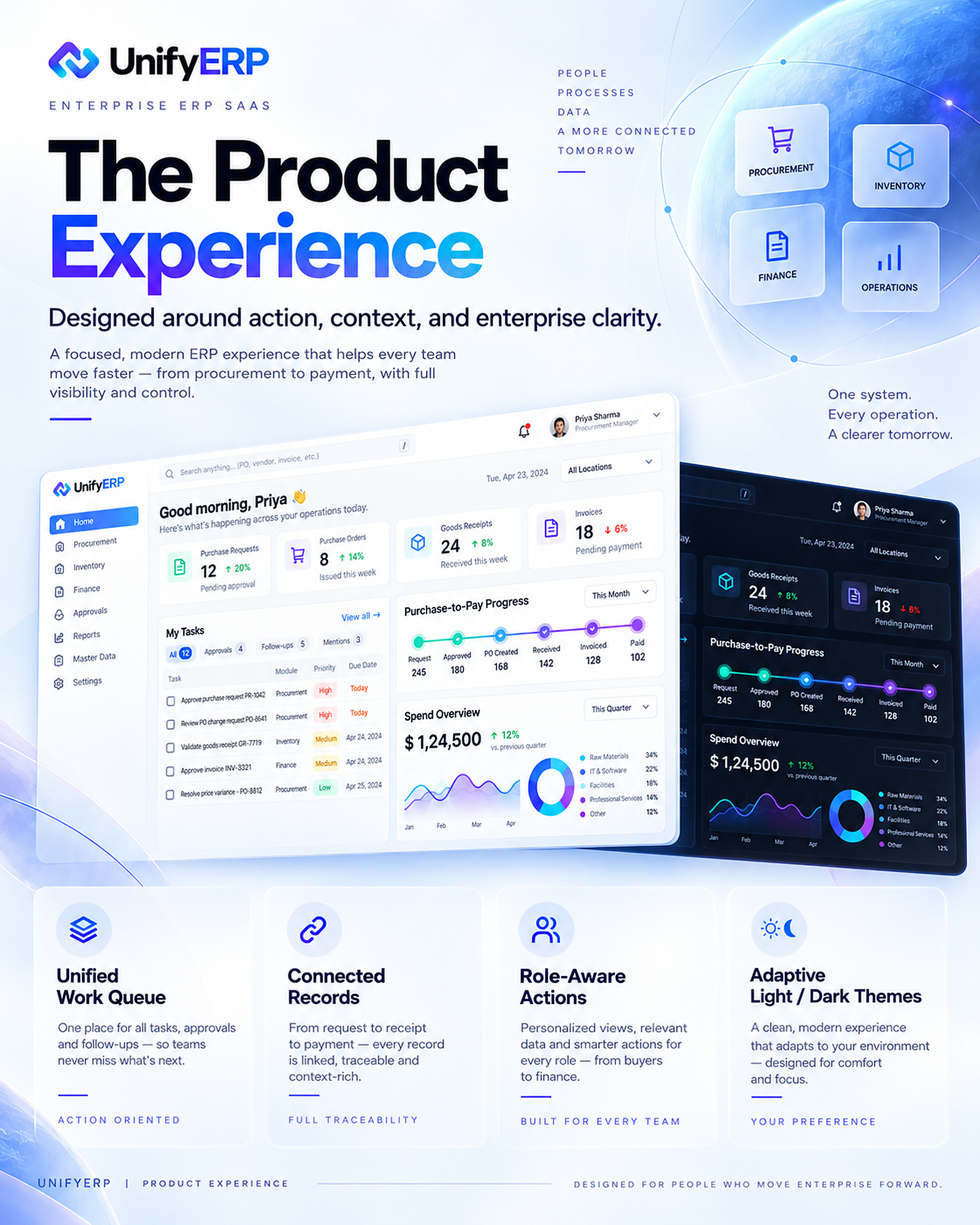
19 / 32 · The Product Experience
Keep action and context together.
The product experience brings a unified work queue, connected records and role-aware actions into the same environment. Light and dark compositions demonstrate the visual direction. Interface figures, names and documents are mock data, and these presentation boards are not exact exports of editable Figma frames.
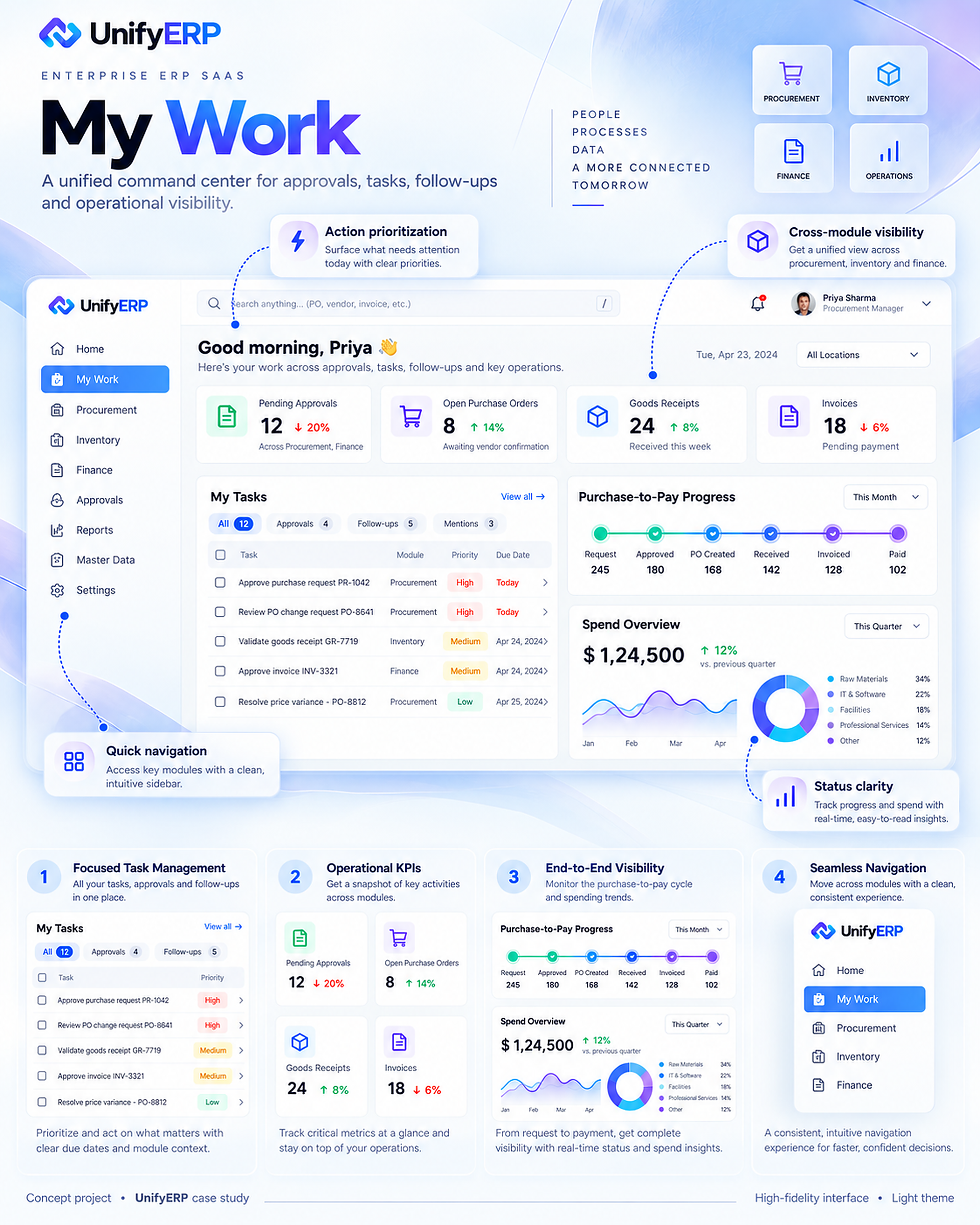
20 / 32 · My Work Light Theme
My Work · Light theme.
A personal command centre brings pending approvals, purchase requests, goods receipts and invoice exceptions into view. A task queue prioritises immediate work while process progress and supporting indicators offer context. The design aims to make the next useful action easier to find.
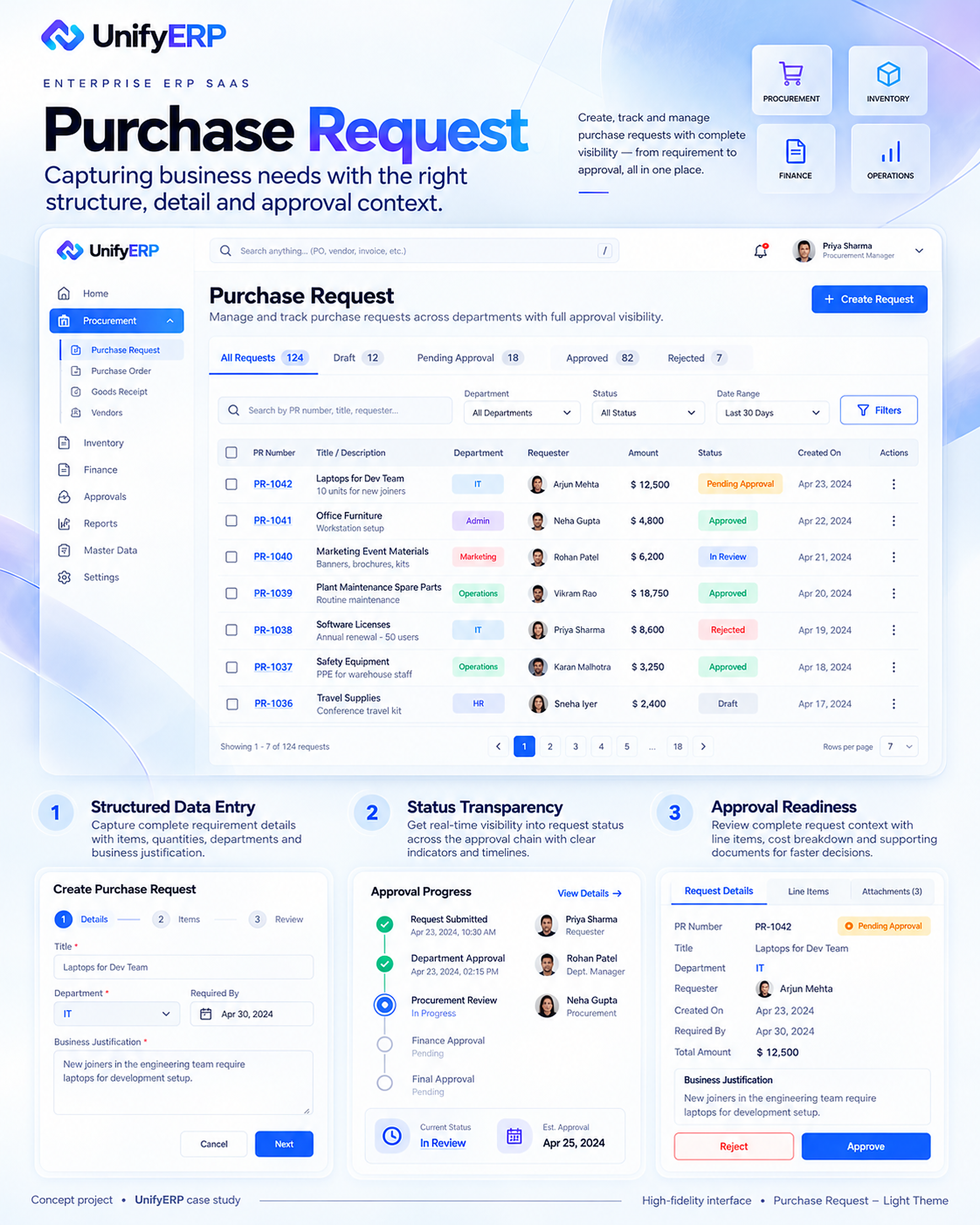
21 / 32 · Purchase Request Light Theme
Purchase Request · Light theme.
The request experience groups structured details, item information, status, attachments and approval progress. A requester should be able to create a complete request, understand what is still needed and follow it without chasing updates across separate tools.
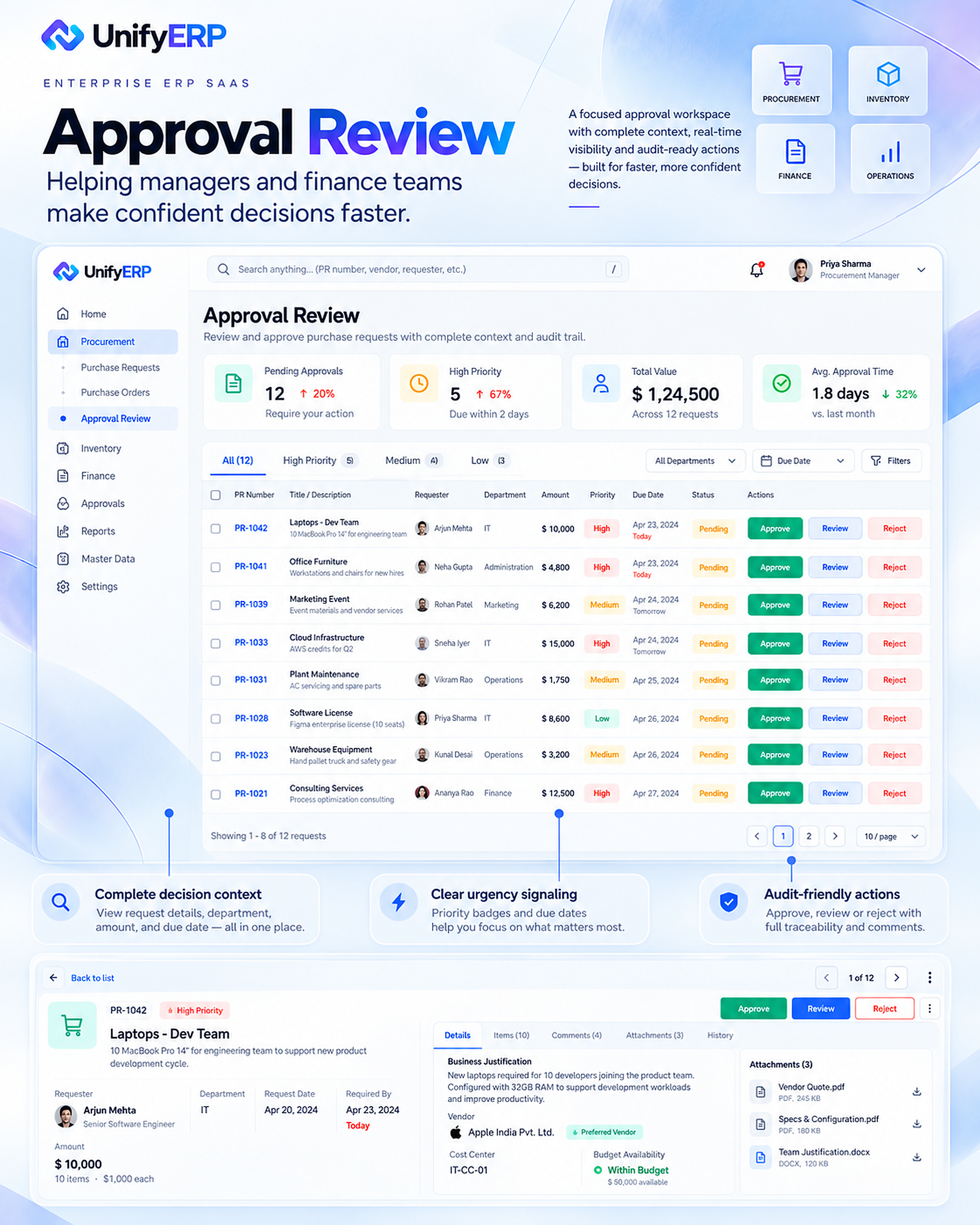
22 / 32 · Approval Review Light Theme
Approval Review · Light theme.
The approval workspace brings request details, budget context, urgency, comments and history together. Approve, reject and clarification paths should make the decision and its reason explicit. The concept aims to support informed decisions with a traceable record.
23 / 32 · Goods Receipt Light Theme
Goods Receipt · Light theme.
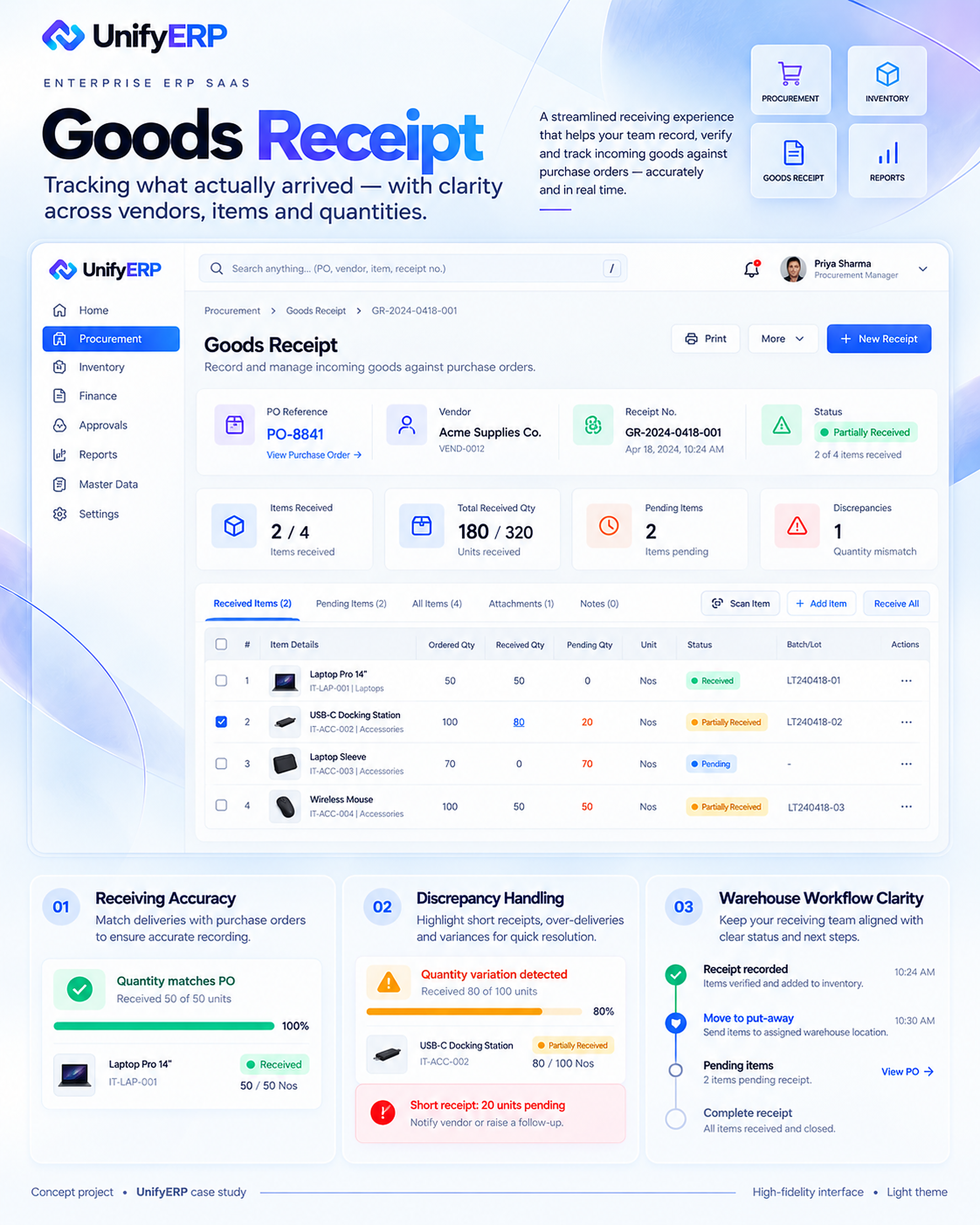
Receiving focuses on what actually arrived, with quantities tied to purchase orders, vendors and items. Partial deliveries, damaged goods and mismatches remain visible so warehouse staff can record accurate evidence and route discrepancies to the next responsible team.
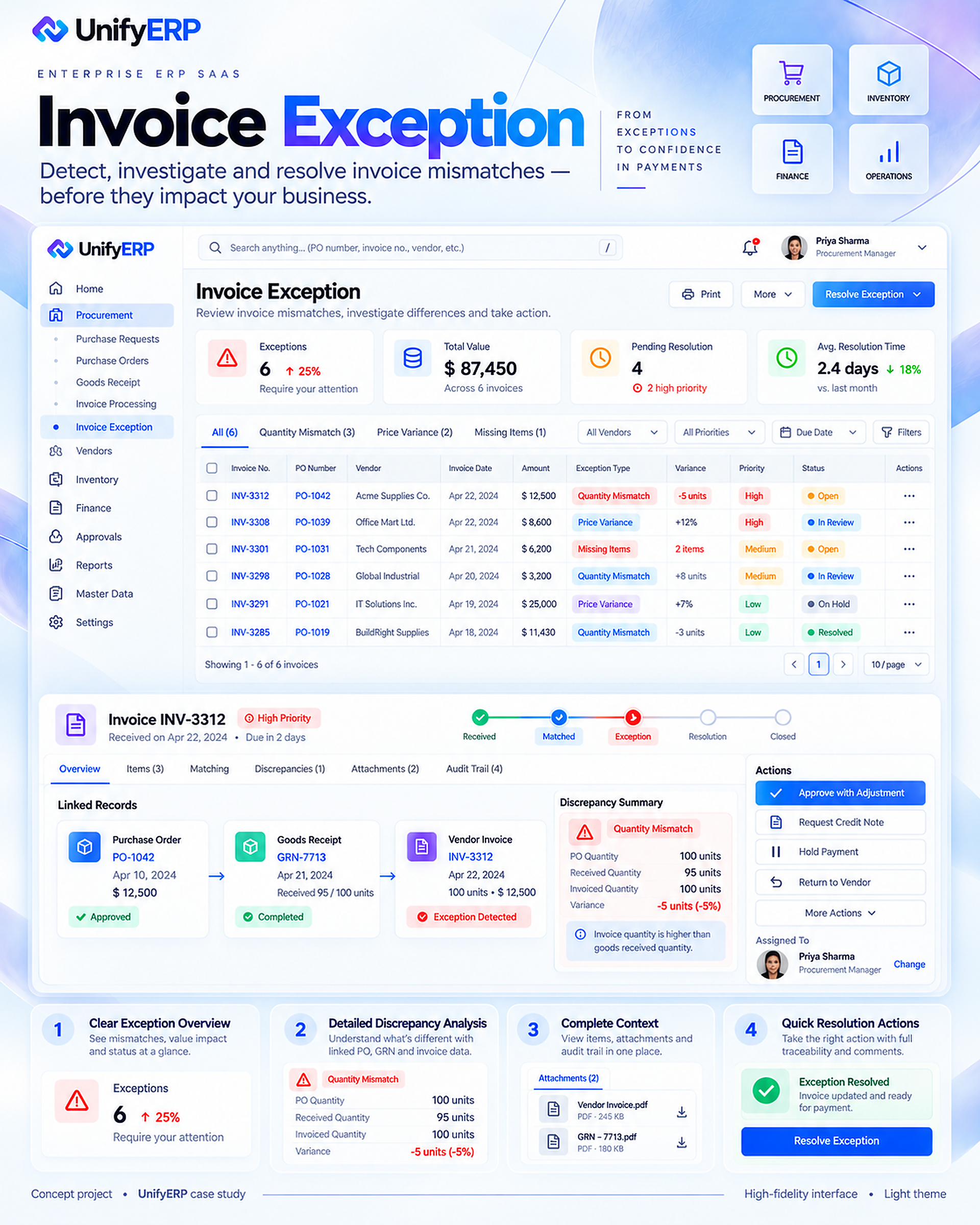
24 / 32 · Invoice Exception Light Theme
Invoice Exception · Light theme.
The exception workspace brings the invoice, purchase order and goods receipt into one investigation view. It highlights variance, ownership and the available resolution actions. The goal is a clear route from identifying a mismatch to documenting a decision and its effect on payment.
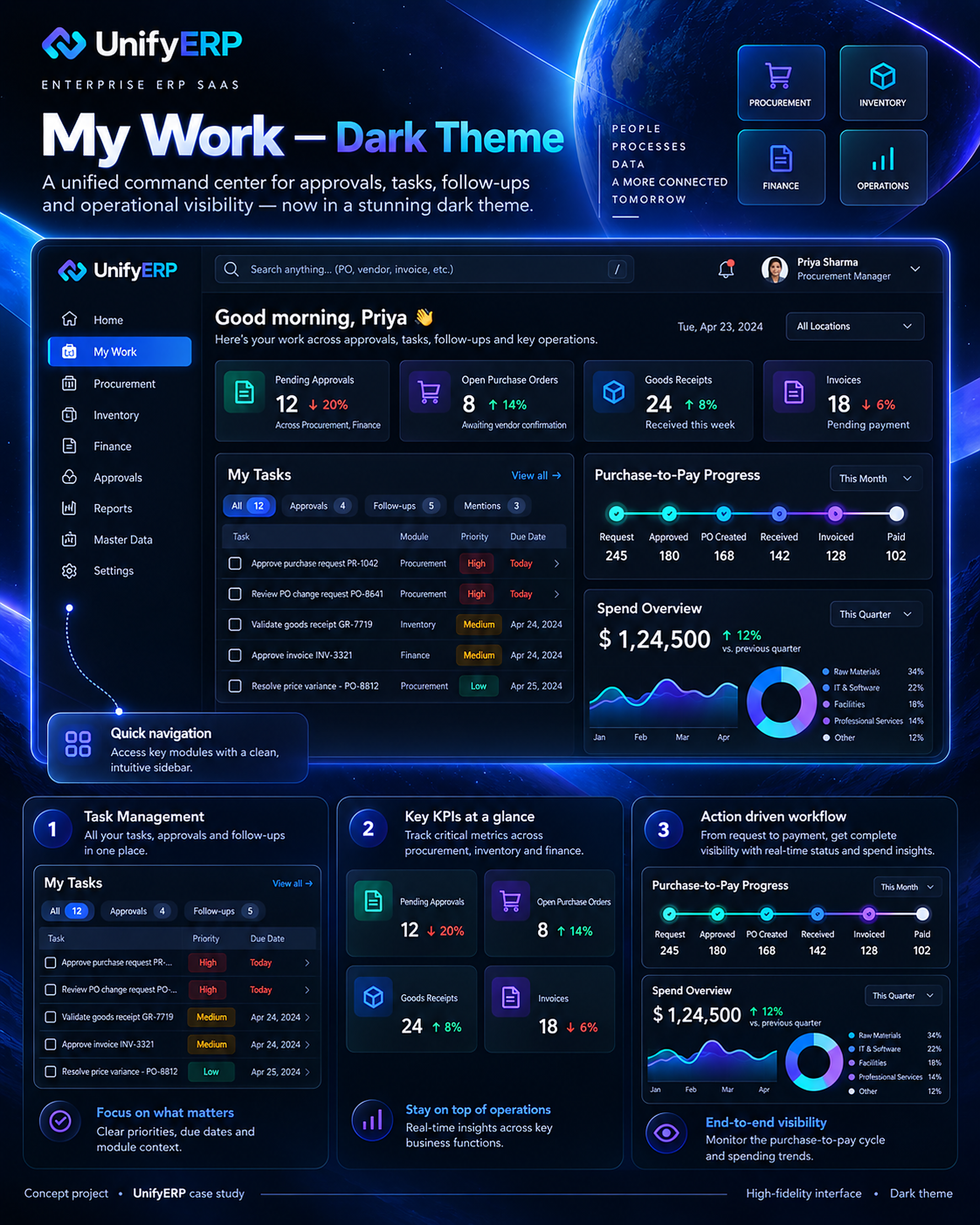
25 / 32 · My Work Dark Theme
My Work · Dark theme.
The dark variant retains the same task hierarchy, module navigation and progress cues as the light experience. The theme changes presentation while preserving how people discover and act on work. Contrast and prolonged-use comfort are considerations for future usability review.
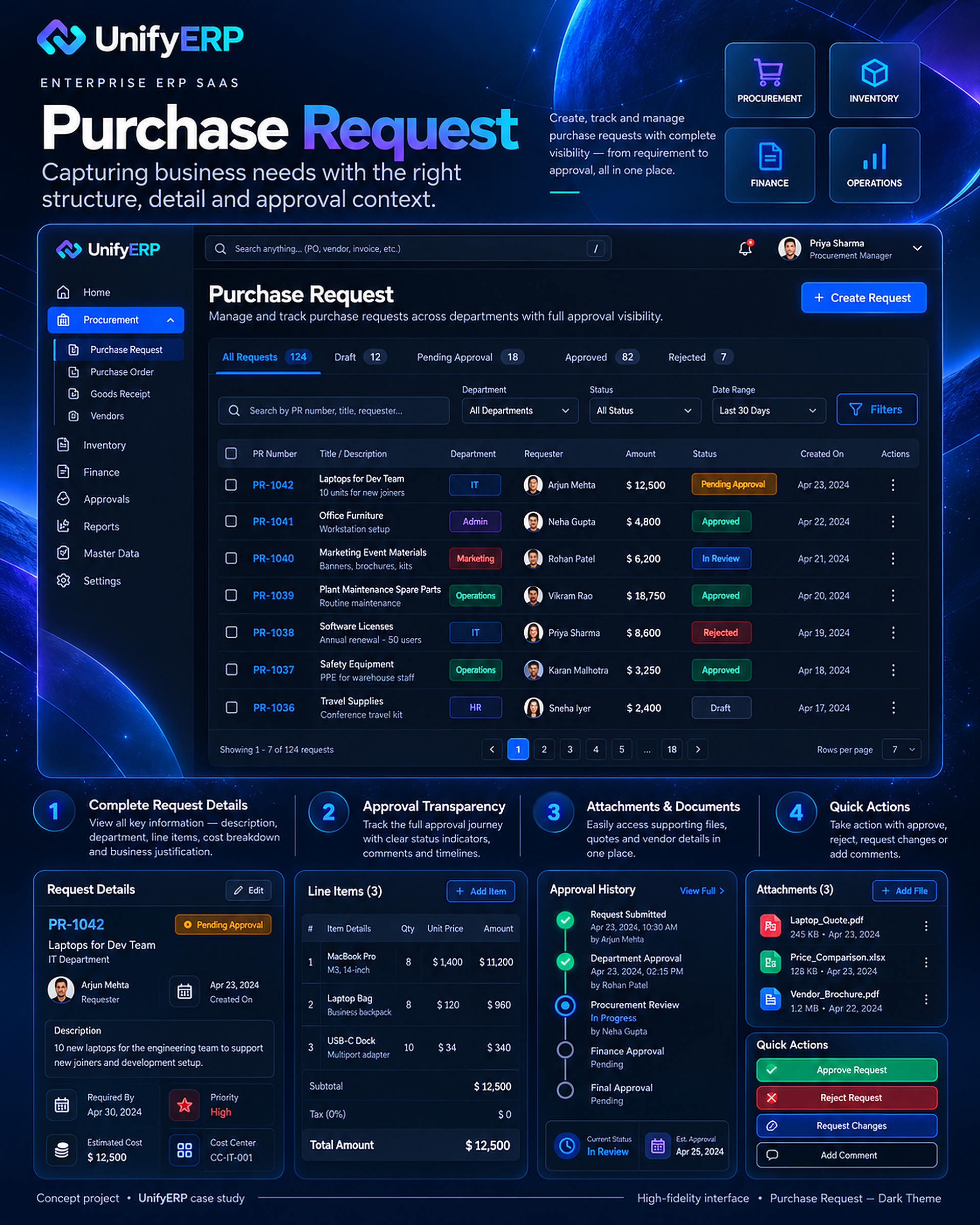
26 / 32 · Purchase Request Dark Theme
Purchase Request · Dark theme.
The dark purchase-request composition keeps request details, approval history, attachments and quick actions connected. Status cues and table structure follow the same interaction model as the light version so switching themes does not require relearning the task.
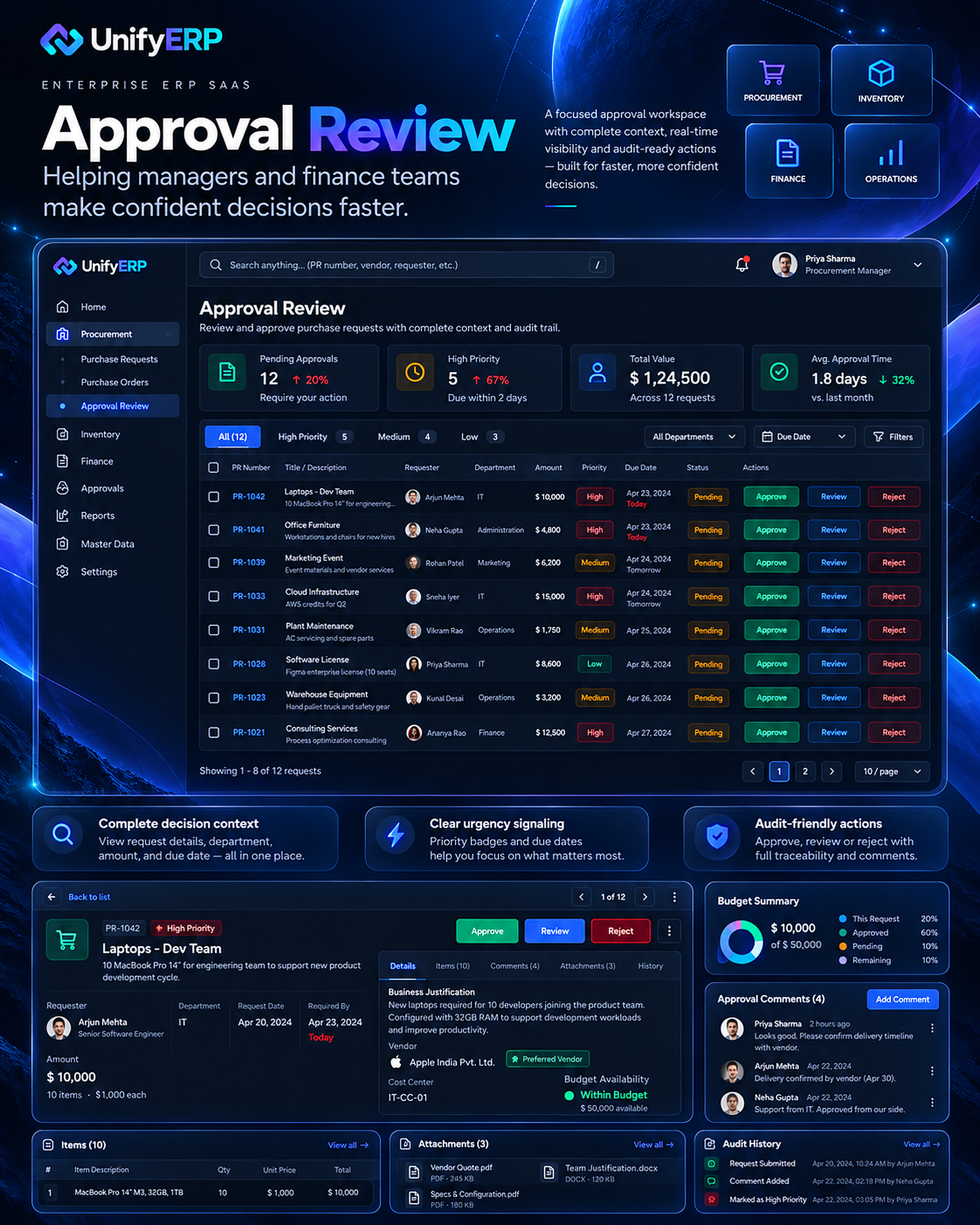
27 / 32 · Approval Review Dark Theme
Approval Review · Dark theme.
The dark approval view preserves decision context, comments, supporting documents and history. Clear action labels and consistent status treatment are intended to help reviewers distinguish what needs attention from what is already resolved.
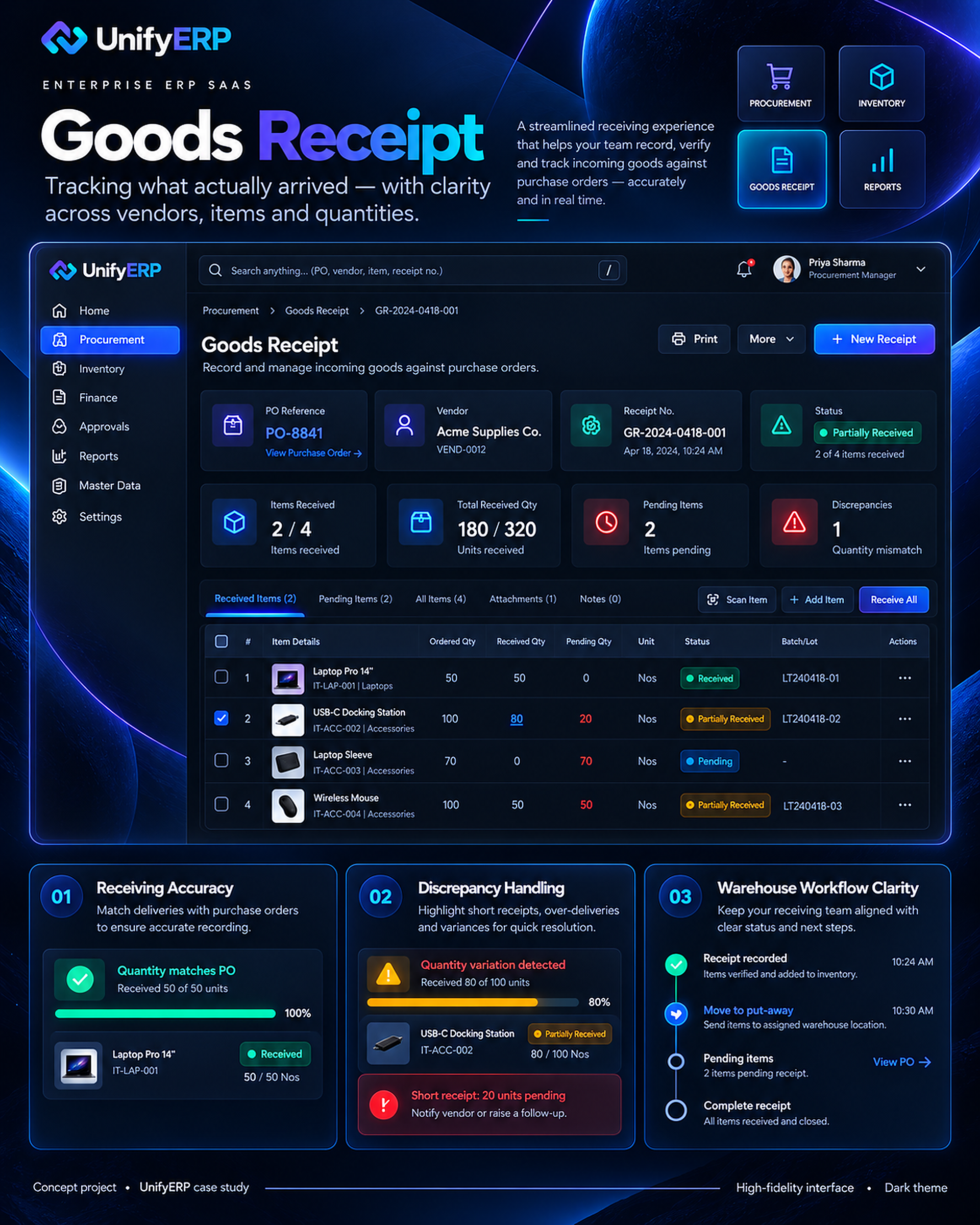
28 / 32 · Goods Receipt Dark Theme
Goods Receipt · Dark theme.
The dark receiving experience retains item-level quantities, delivery state and discrepancy handling. Its proposed workflow keeps the purchase-order reference and receipt history available while the warehouse team records the actual delivery.
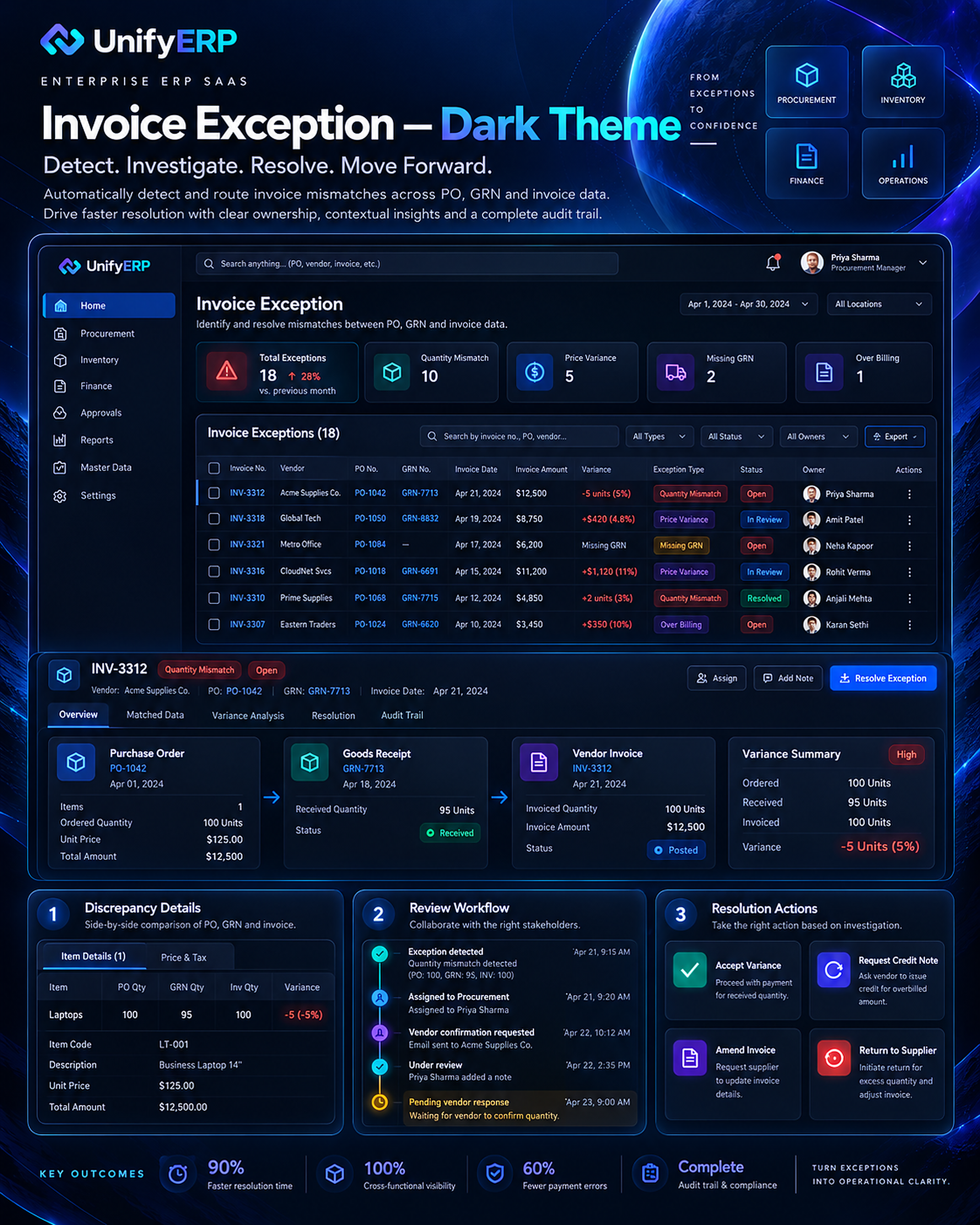
29 / 32 · Invoice Exception Dark Theme
Invoice Exception · Dark theme.
The dark exception view presents related records, variance details, review history and resolution actions. It reinforces the same owner-and-next-action model as the light version. Numerical outcomes and interface data in the supplied visual remain illustrative.
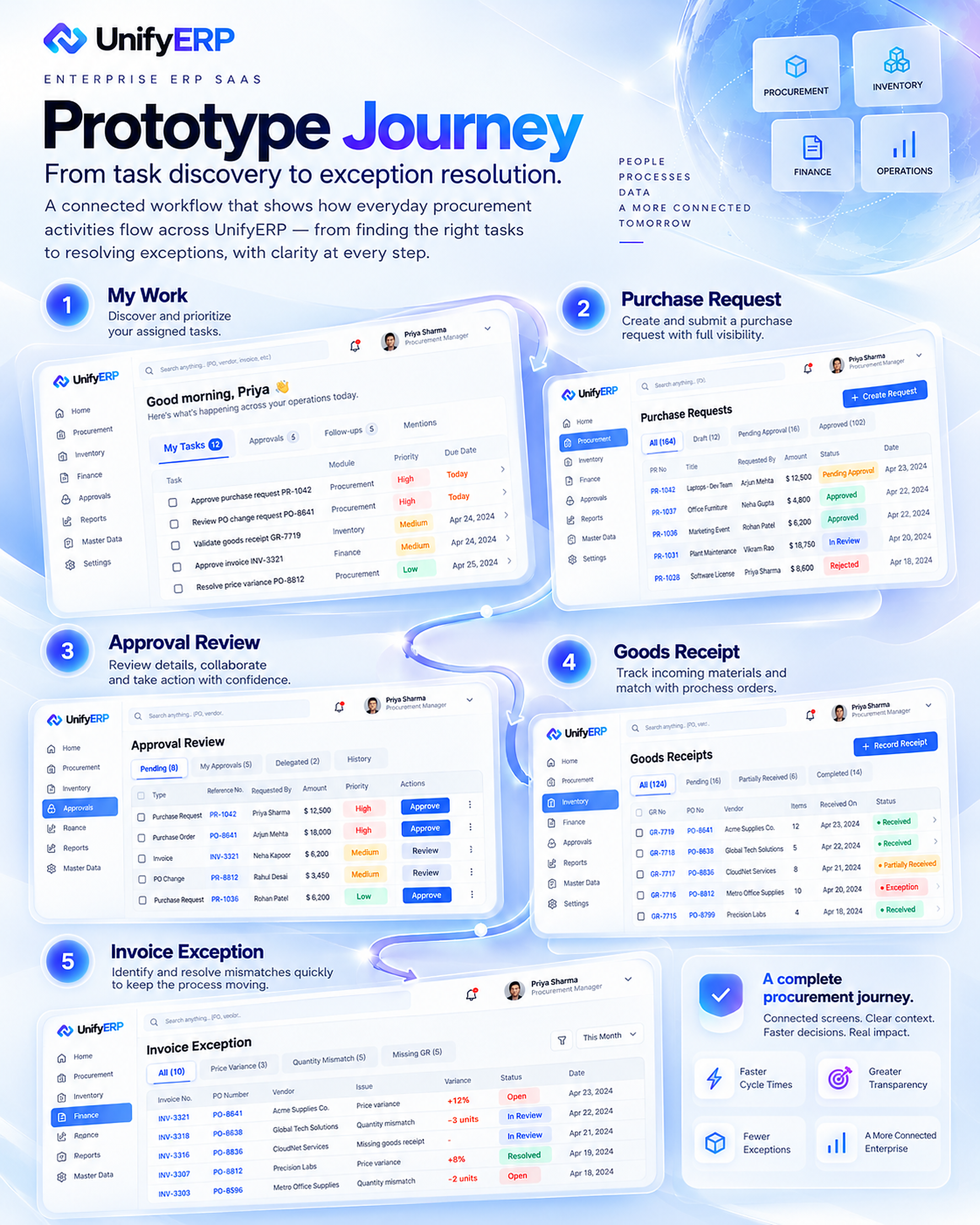
30 / 32 · Prototype Journey
Connect the five core workspaces.
The prototype story follows My Work, Purchase Request, Approval Review, Goods Receipt and Invoice Exception. The sequence makes the relationship between task discovery and cross-team resolution tangible, providing a basis for walkthroughs and future task-based testing.
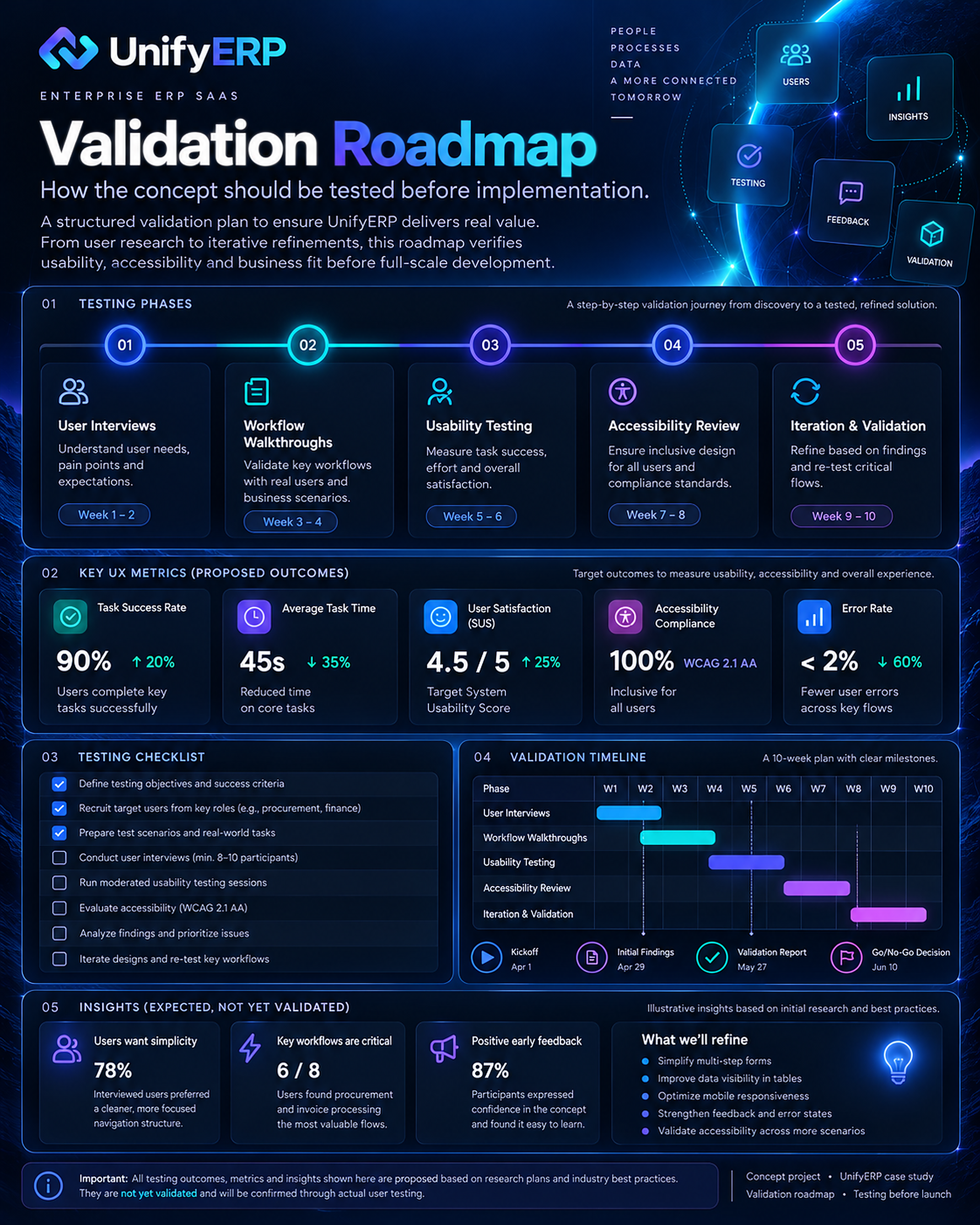
31 / 32 · Validation Roadmap
Validate before claiming impact.
The proposed roadmap includes user interviews, workflow walkthroughs, usability testing, accessibility review and iteration. Evaluation should examine completion, time on task, errors, clarity and confidence. Scores, percentages and study findings displayed in the approved artwork are unverified concept examples—not evidence that testing has occurred or targets have been met.
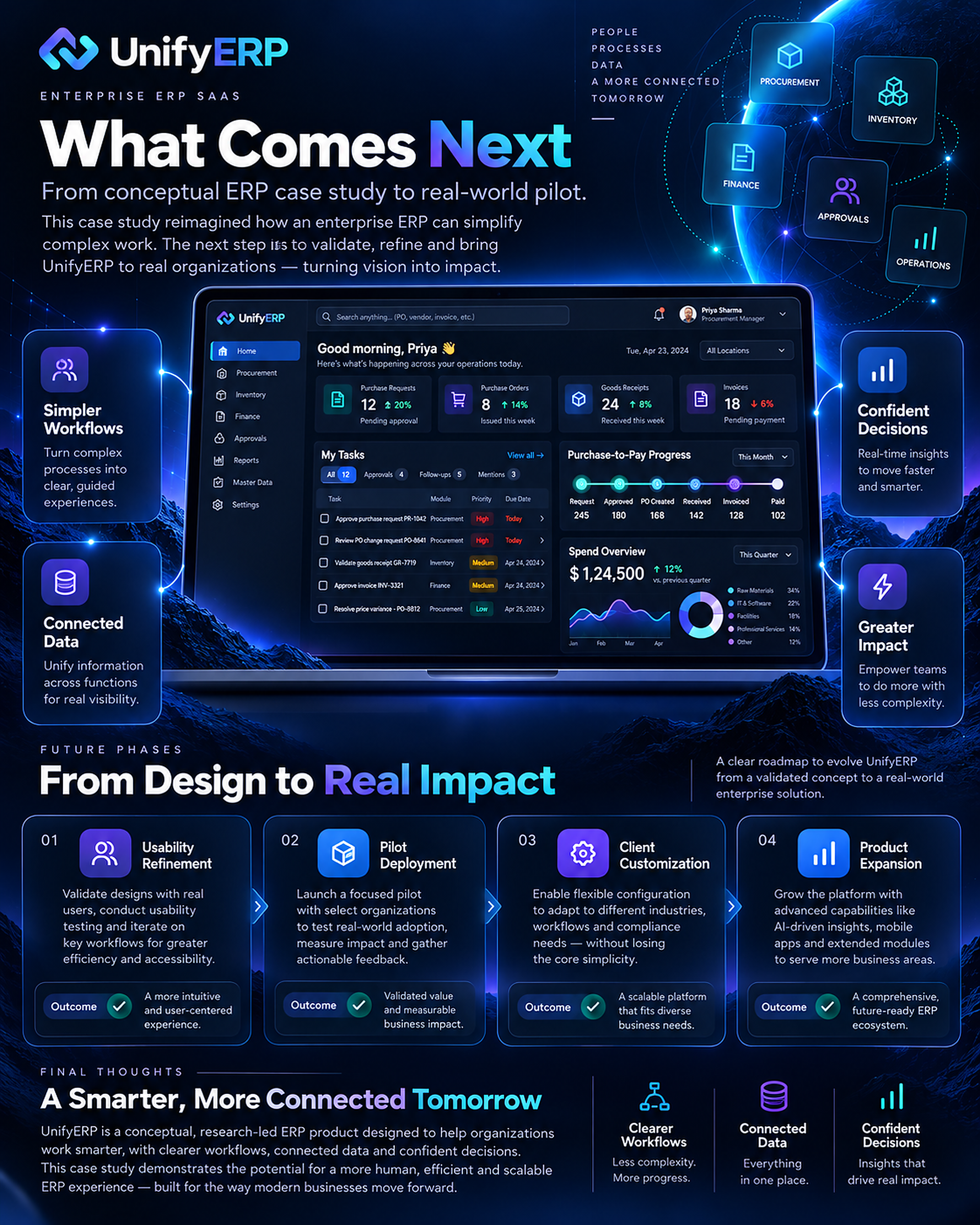
32 / 32 · What Comes Next Closing
Move from concept to a real pilot.
The next phase is to refine the workflows with real users, select a business context for a pilot and test configuration needs against operational rules. Client customisation, integrations and product expansion should follow evidence from that work. The completed deliverable is this conceptual design case study, not a production rollout.